
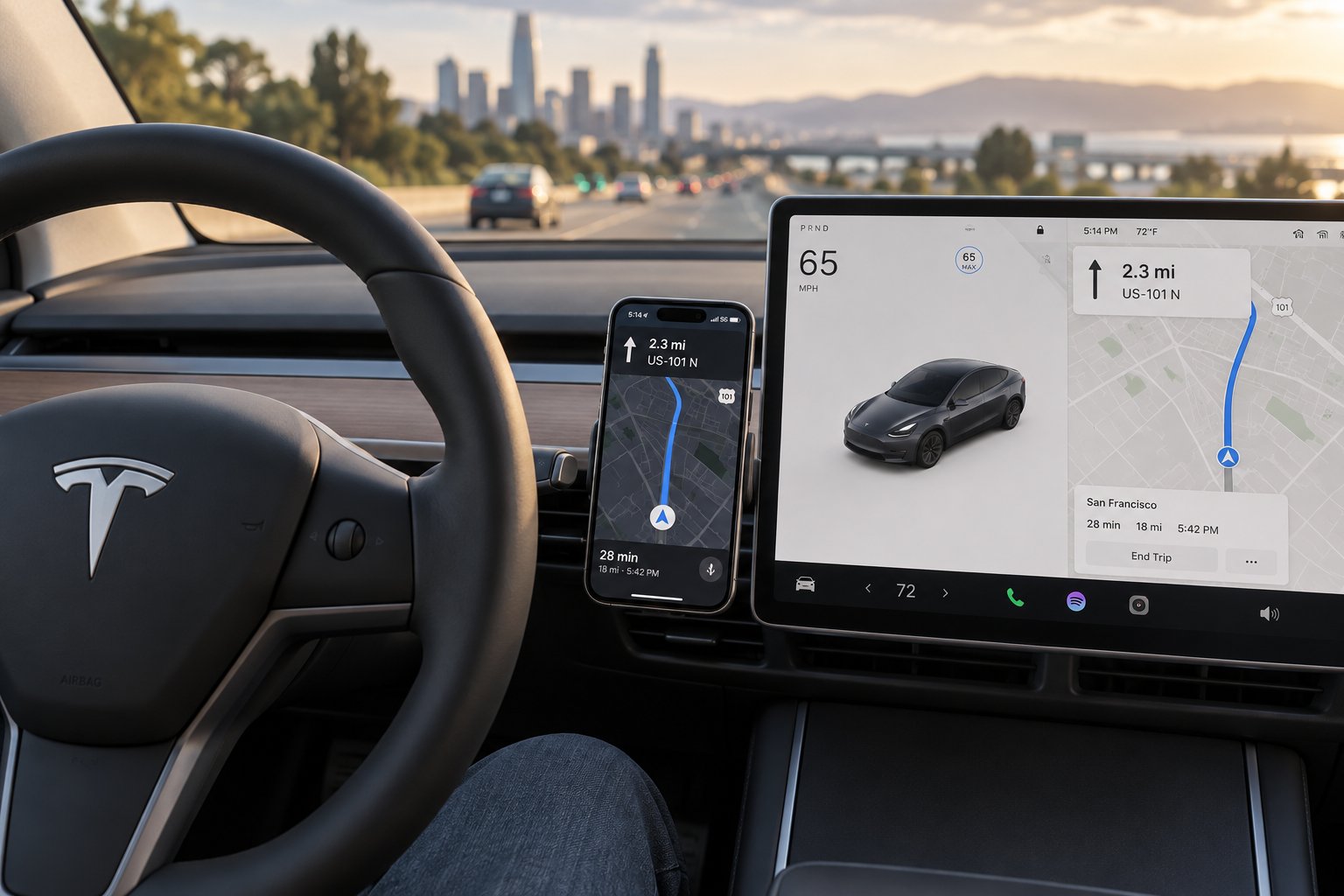
Do You Actually Need a Phone Mount in a Tesla?
Here is a question most accessory guides skip entirely: does your Tesla already do everything your phone does? It is a fair thing to ask before you spend a single dollar on a tesla phone mount. The massive center touchscreen handles navigation through Tesla's built-in maps, streams music via Spotify and Apple Music, takes calls over Bluetooth, and even doubles as a dashcam viewer. For many owners, the phone stays in a pocket or on the wireless charging pad from the moment they sit down. So why do so many drivers still reach for a dedicated phone mount for tesla vehicles?
What Tesla's Built-In System Already Handles
Tesla's infotainment system is one of the most capable in the industry. The native turn-by-turn navigation uses real-time traffic data and integrates directly with the car's energy consumption estimates, which is something no phone app can replicate for an EV. Spotify, Tidal, and Apple Music stream natively without pairing a device. Bluetooth calling works seamlessly, and the cabin microphone quality is surprisingly good. You can even pull up your Sentry Mode clips or TeslaCam footage right on the screen. For the average commuter, this setup genuinely reduces the need to interact with a phone while driving.
When a Phone Mount Still Makes Sense
That said, there are real, practical scenarios where a mounted phone adds value that Tesla's screen simply cannot match. Imagine you are a rideshare driver toggling between Uber and Lyft apps all day, or a delivery driver who relies on Waze for its aggressive rerouting and community-reported speed traps. Tesla's native navigation is solid, but it is not Waze, and it is not Google Maps with its street-level imagery. A tesla phone holder becomes genuinely useful in situations like these.
Here are the top five reasons Tesla owners still choose a dedicated phone mount:
- Third-party navigation preference — Waze, Google Maps, or Apple Maps offer features like crowd-sourced hazard alerts and more frequent map updates that some drivers prefer over Tesla's built-in nav.
- Rideshare and delivery driving — Gig apps require constant screen interaction, and splitting attention between a phone in your lap and the Tesla touchscreen is both inconvenient and unsafe.
- Hands-free video and voice calls — While Tesla supports Bluetooth audio calls, apps like Zoom, FaceTime, or Teams need a visible, stable phone position.
- Accessibility needs — Some drivers rely on specialized phone apps for voice commands, magnification, or other assistive features that work better on a device positioned at eye level.
- Dual-screen productivity — Having navigation on the phone while keeping Tesla's screen free for music, climate, or Autopilot visualizations effectively gives you two displays working simultaneously.
If any of these scenarios sound like your daily drive, a mount is a worthwhile addition. The real challenge is not deciding whether you need one — it is figuring out which type fits your Tesla's interior without blocking the very touchscreen you depend on for everything else.
Every Tesla Phone Mount Type Compared Side by Side
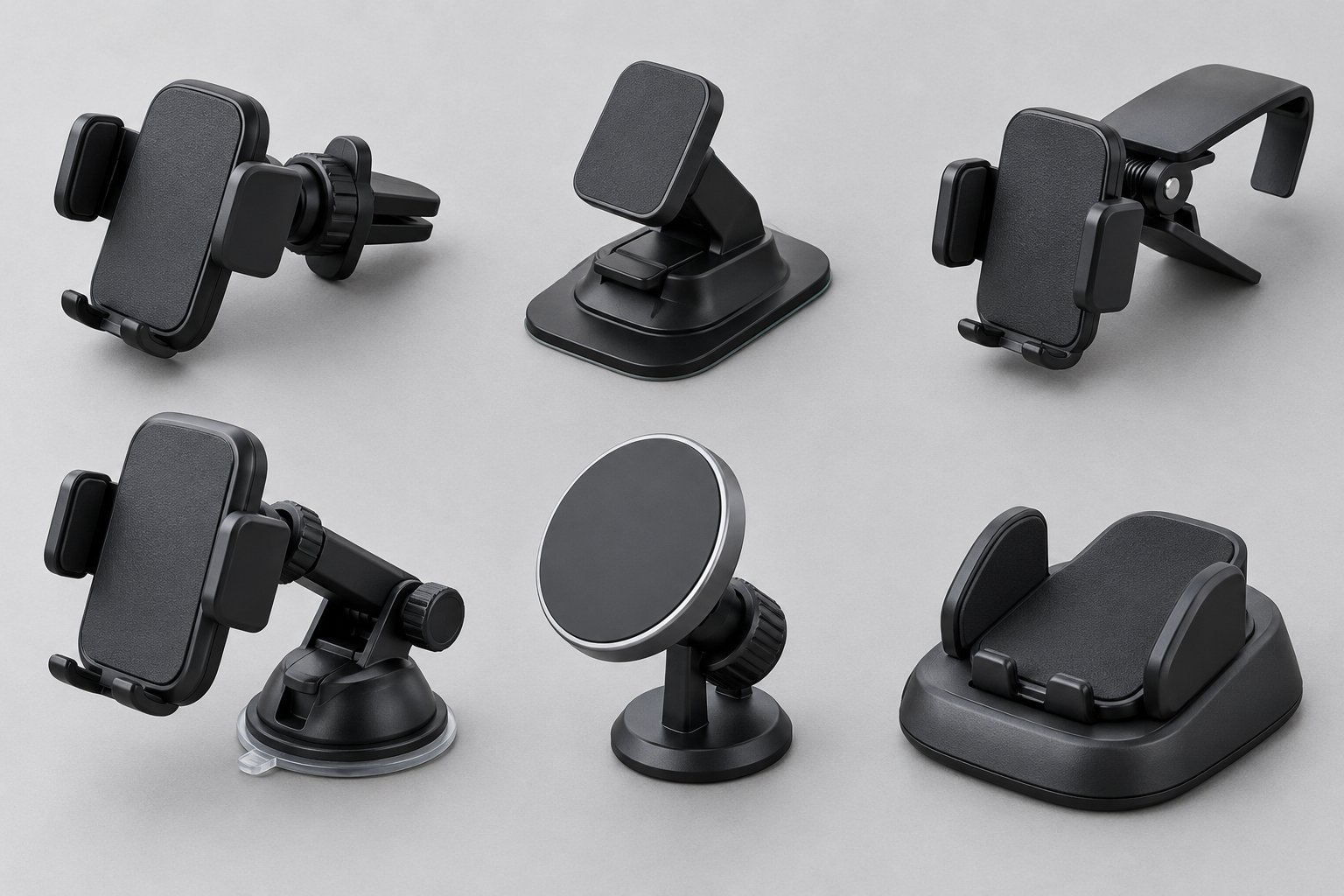
Not all mounts are created equal, and inside a Tesla, the differences matter more than in a typical car. The minimalist interior, frameless touchscreen, and expansive glass roof all influence which mounting styles work well and which ones become frustrating within a week. Six primary categories dominate the market, and each one attaches to a different part of the cabin. Understanding the mechanical differences is the fastest way to narrow your search.
Vent, Dashboard, and Screen-Clip Mounts Explained
Vent-clip mounts are the most common phone holder for Tesla Model Y and Model 3 vehicles. They use spring-loaded or friction-based clips that grip onto the horizontal vent blades beneath the touchscreen. Installation takes seconds, no adhesive is involved, and removal leaves zero trace. Prices typically range from $15 to $50 depending on whether charging is included. The tradeoff? Your phone partially blocks airflow from whichever vent it occupies, and you will notice reduced HVAC performance on that side of the cabin. Tesla-specific vent mounts are generally a better fit than universal clips because Tesla's air vents use a unique linear slot design rather than traditional individual fin blades.
Dashboard adhesive mounts use a 3M VHB tape or similar industrial adhesive pad to stick directly onto the dashboard surface. They are low-profile and offer flexible placement, but here is the Tesla-specific catch: the dashboard surface area in a Model 3 or Model Y is surprisingly minimal and slopes downward. Finding a flat, stable adhesive zone that does not interfere with your sightline or screen access requires careful planning. Worse, Tesla's all-glass roof lets significantly more solar heat into the cabin than a traditional steel roof, which accelerates adhesive degradation over time. Expect to replace adhesive pads more frequently than you would in a conventional vehicle. Prices range from $10 to $35.
Screen-clip (screen-mounted) mounts clamp directly onto the edge of Tesla's center touchscreen. They require no adhesive or drilling and position your phone right beside the display, which feels natural for glancing between navigation sources. However, the frameless design of Tesla's screen means these mounts must grip the thin bezel edge precisely. A poorly designed screen clip can apply uneven pressure, wobble during driving, or partially obstruct the status bar and media controls. Tesla-specific screen-clip designs, like those built to match the exact bezel thickness of the Model 3 or Model Y display, tend to perform far better than generic alternatives. Prices for quality screen-mounted options typically fall between $25 and $50.
Suction cup mounts are a staple in most vehicles, but they face real limitations inside a Tesla. The windshield remains an option, though many states restrict windshield-mounted devices, and positioning a mount there can interfere with the cabin camera's field near the rearview mirror. Dashboard suction is even more problematic because Tesla's textured, sloped dash simply does not offer the smooth, flat surface that suction cups need to form a reliable seal. If you prefer suction mounts, the windshield is your only realistic mounting point. Expect to pay $15 to $40.
Weighted dashboard cradles use a non-slip, sand-filled or silicone base that sits on the dashboard by gravity alone. They require no clips, adhesive, or suction. While appealing for their simplicity, Tesla's sloped dashboard can cause these cradles to shift during hard braking or sharp turns. They work better in vehicles with flatter dash surfaces and are generally the least secure option for spirited driving. Prices range from $10 to $30.
Magnetic and MagSafe Mounts vs. Traditional Clamps
MagSafe magnetic mounts have rapidly become the most popular iPhone holder for Tesla owners. These mounts use a ring of magnets aligned to Apple's MagSafe standard, which snaps compatible iPhones (iPhone 12 and newer) or MagSafe cases into a perfectly centered position. The experience is genuinely one-handed: you bring your phone close, it clicks into place magnetically, and you pull it off when you leave. Some MagSafe mounts also deliver 7.5W wireless charging through the magnetic connection. The key distinction from generic magnetic mounts is alignment precision. Older generic magnetic mounts rely on a thin metal plate you stick inside your phone case, which works but lacks the consistent positioning and charging coil alignment that MagSafe provides.
For Android users, traditional spring-clamp mounts remain the most universal option. These grip the phone from its sides using adjustable arms, accommodating virtually any phone size or case thickness. They are not as elegant as magnetic docking, but they are the most reliable choice for phones without built-in magnet arrays. Some drivers bridge the gap by attaching an adhesive MagSafe-compatible magnetic ring to their Android phone case, though this approach adds bulk and may not hold as securely as native MagSafe devices.
The emerging Qi2 standard is worth watching. Qi2 brings MagSafe-style magnetic alignment to Android devices, meaning newer Android phones will eventually snap onto the same magnetic mounts that iPhones use. This cross-platform shift is still in its early stages, but it signals that the clamp-versus-magnet debate will eventually tilt heavily toward magnets for all phone ecosystems.
The table below maps every tesla phone mount type against the factors that matter most when shopping for a Model 3, Model Y, or any Tesla variant.
| Mount Type | Attachment Method | Typical Price Range | Charging Capability | Ease of Installation | Screen Obstruction Risk | Best Suited Tesla Model |
|---|---|---|---|---|---|---|
| Vent-Clip | Clips onto horizontal vent blades | $15 - $50 | Optional (some include Qi/MagSafe) | Very Easy | Low | Model 3, Model Y (check refresh compatibility) |
| Dashboard Adhesive | 3M VHB tape on dash surface | $10 - $35 | None (mount only) | Easy, but surface prep required | Low | Model 3, Model Y, Model S, Model X |
| Screen-Clip (Screen-Mounted) | Clamps onto touchscreen bezel edge | $25 - $50 | Optional (some include wireless charging) | Very Easy | Moderate (may cover status bar or side UI) | Model 3, Model Y (Tesla-specific fit recommended) |
| Suction Cup | Suction pad on windshield or smooth surface | $15 - $40 | None (mount only) | Easy | Low (but may block forward visibility) | Any model (windshield only; dash suction unreliable) |
| MagSafe / Qi2 Magnetic | Magnetic ring alignment (pairs with vent, dash, or screen base) | $20 - $60 | Yes (up to 15W with Qi2; 7.5W MagSafe) | Very Easy | Depends on base mount type | Model 3, Model Y (base mount determines fit) |
| Weighted Dashboard Cradle | Non-slip weighted base rests on dash | $10 - $30 | None | Effortless (no installation) | Low | Better for Model S/X (flatter dash); less stable on Model 3/Y |
A quick scan of this table reveals an important pattern: no single mount type wins across every column. Vent-clip and MagSafe options score well for easy installation and low screen obstruction, which is why they dominate tesla model 3 phone mount and tesla phone mount model y recommendations. Screen-clip mounts offer the most intuitive phone placement but carry a moderate risk of blocking parts of the touchscreen interface. Suction cup and weighted cradle designs, while popular in traditional cars, bump into Tesla-specific interior limitations that make them harder to recommend.
What this comparison does not yet address is an equally important variable: Tesla's mid-cycle interior refreshes have changed vent shapes, screen positions, and dashboard contours enough to make a mount that fits perfectly in a 2023 Model 3 incompatible with a 2024 Highland. That model-year nuance deserves its own closer look.
Model-by-Model Compatibility and Tesla Refresh Changes
A mount that clips perfectly onto a 2022 Model 3 vent might wobble, gap, or refuse to attach entirely on a 2024 Highland. That is not a quality defect — it is a fitment mismatch caused by Tesla's mid-cycle interior redesigns. These refreshes changed dashboard materials, vent architectures, screen bezels, and console layouts in ways that directly affect how every tesla screen phone mount attaches to the cabin. Ignoring your specific model year is the single fastest way to waste money on an accessory that looks right in the listing photos but feels wrong in your car.
Model 3 vs. Model 3 Highland Interior Differences
The 2024 Model 3 Highland was not a subtle facelift. Tesla eliminated the traditional turn-signal stalks entirely and moved those controls to buttons on the steering wheel, which also changed the dashboard's visual profile and the area surrounding the center screen. The Highland's touchscreen features a thinner bezel that allows for a slightly larger display area — a detail that matters enormously for screen-clip mounts designed to grip the bezel edge. A mount engineered for the thicker bezel of the pre-refresh Model 3 may clamp too loosely on the Highland's slimmer frame, leading to vibration and instability at highway speeds.
The dashboard itself underwent a material overhaul. Premium fabric replaced the faux-wood trim across the dash and doors, and the surface contour was reshaped to accommodate wraparound ambient lighting. That reshaped profile means adhesive mounts designed to sit flush against the old, flatter dash geometry may not bond as securely on the Highland's revised curves. The air vents also changed. Highland's ventilation is actuated by hidden motors and vanes controlled entirely through the touchscreen, and the vent slot dimensions differ enough from the pre-refresh design that a vent-clip mount built for 2017-2023 Model 3 interiors can fit poorly or fail to grip at all.
Even the center console is different. The key card reader relocated from near the armrest to the left wireless charging pad, and the storage layout was redesigned with new offset pull tabs and a coverable cubby. If you use a console-adjacent mounting solution, the physical geometry around it has shifted.
Model Y vs. Model Y Juniper Mounting Considerations
The 2025 Model Y Juniper arrived with its own comprehensive interior overhaul, though it diverges from the Highland in a few key ways. Unlike the Highland, the Juniper retains a physical turn-signal stalk but adopts a refreshed dashboard layout and touchscreen-based gear shifting. The center console now features sliding doors covered in genuine aluminum, and every interior surface was refined with higher-quality materials and tighter fitment tolerances, according to Tesla's official overview.
For anyone shopping for a tesla phone holder model y, the important changes are in the dashboard profile and screen positioning. The Juniper's instrument panel incorporates new aluminum accents, redesigned air vent geometry, and a wraparound multicolor ambient lighting strip that alters the surface terrain where adhesive and clip-on mounts need to make contact. The upgraded roof glass coatings — which Tesla says reflect seven times more solar energy than the previous Model Y — also indirectly affect mounting by reducing interior temperatures that degrade adhesive bonds. That is a welcome improvement, but it does not eliminate the adhesive degradation risk entirely.
The bottom line for tesla model y phone mount shoppers: a mount designed for the 2020-2024 Model Y was engineered around the original dashboard shape, vent blade width, and screen bezel thickness. The Juniper changed all three. Buying a "fits Model Y" mount without confirming it specifies the Juniper generation is a gamble that frequently results in a return.
Model S, Model X, and Cybertruck Notes
The Model S and Model X occupy a different interior universe. Their yoke or round steering wheel, vertically oriented (Model S) or horizontally oriented (Model X) center screens, and distinct dashboard architectures mean that most mounts marketed as "Tesla phone mounts" — which typically target the Model 3 and Model Y — simply do not apply. Vent-clip options exist but are far less common, and screen-clip designs must account for a completely different display form factor. Dashboard adhesive mounts tend to be the most adaptable option for these models, though the same heat-related adhesive concerns apply.
The Cybertruck is its own category entirely. Its angular, industrial interior, unique dashboard geometry, and 18.5-inch center touchscreen create a mounting environment that few accessory manufacturers have fully addressed yet. Purpose-built Cybertruck phone mounts are appearing on the market, but selection remains limited compared to the Model 3 and Model Y ecosystem.
Here is a quick-reference guide matching mount attachment methods to each Tesla model variant:
- 2017-2023 Model 3 (Pre-Refresh) — Vent-clip, screen-clip, and adhesive dashboard mounts all work well. Confirm the mount specifies pre-refresh or legacy Model 3 fitment.
- 2024-2026 Model 3 Highland — Vent-clip mounts must match the redesigned vent slot dimensions. Screen-clip mounts need to accommodate the thinner bezel. Adhesive mounts require careful placement on the reshaped dashboard surface.
- 2020-2024 Model Y (Pre-Juniper) — Shares much of the pre-refresh Model 3 interior geometry. Most mounts that fit legacy Model 3 also fit standard Model Y, but always verify the listing.
- 2025-2026 Model Y Juniper — Requires Juniper-specific mounts. The refreshed dashboard profile, updated vent blades, and new console design make legacy Model Y mounts unreliable.
- Model S and Model X — Limited aftermarket mount selection. Dashboard adhesive mounts are the most versatile. Screen-clip options exist but must match the unique vertical or horizontal screen orientation.
- Cybertruck — Purpose-built mounts are still emerging. Dashboard adhesive and magnetic mounts offer the broadest compatibility for now, but expect the selection to expand as more manufacturers develop Cybertruck-specific designs.
Getting the generation right is step one. Step two is making sure the mount works with your actual phone — and that is where the divide between MagSafe, Qi2, and universal clamp systems becomes the next critical decision.
MagSafe vs. Universal Mounts for iPhone and Android Owners
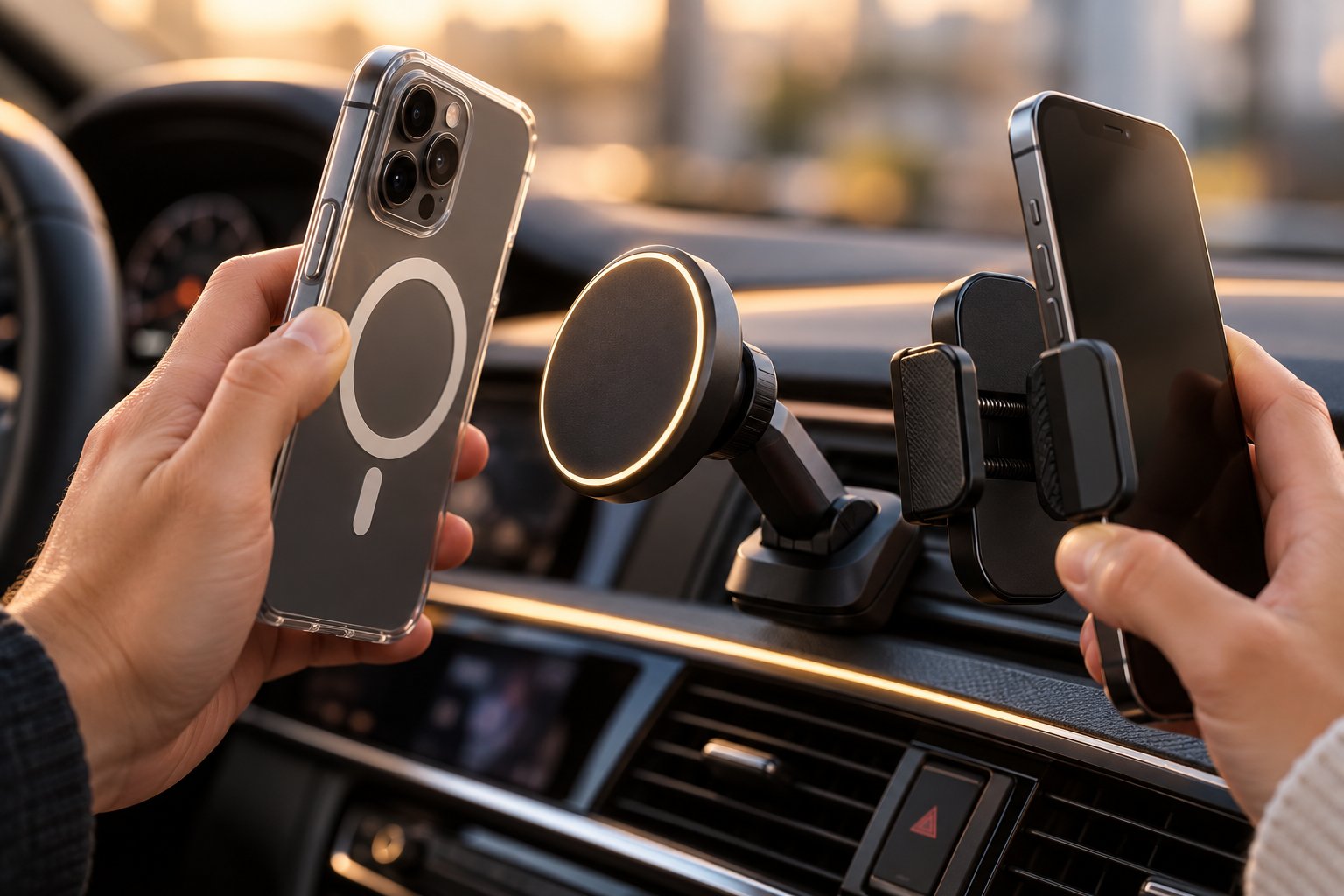
Your Tesla model and refresh year determine where a mount can physically attach. Your phone determines how it holds on once it gets there. This distinction trips up a surprising number of buyers — especially Android owners who discover too late that the sleek magnetic mount they ordered is designed almost exclusively for iPhones. The charging standard and magnet system inside your device shape everything from docking speed to charging wattage, so understanding the landscape before you buy saves real frustration.
How MagSafe and Qi2 Work in Car Mounts
MagSafe is Apple's proprietary magnetic alignment system, built into every iPhone starting with the iPhone 12 series. A ring of precisely arranged magnets sits beneath the phone's back glass, and when you bring it near a MagSafe-compatible mount, the magnets snap the device into a perfectly centered position. That alignment is not just about convenience — it also ensures the phone's wireless charging coil lines up exactly with the mount's charging coil, enabling efficient 7.5W wireless charging through the magnetic connection. With a MagSafe-certified charger connected to higher-power adapters, newer iPhones can reach up to 15W, though many car-mount chargers cap at 7.5W.
Qi2 is the cross-platform evolution of this concept. Developed by the Wireless Power Consortium with direct input from Apple, Qi2 adopts the same Magnetic Power Profile — essentially the identical magnet ring alignment — and makes it an open standard available to Android manufacturers. Samsung, Google, and other major Android brands have begun integrating Qi2 magnet arrays into their flagship devices, which means those phones can dock onto MagSafe-style mounts with the same satisfying snap and precise coil alignment. Qi2 also supports up to 15W wireless charging, bringing it to parity with Apple's ecosystem.
The practical takeaway for Tesla owners shopping for tesla phone mounts is straightforward: if you have an iPhone 12 or newer, any MagSafe or Qi2 mount will work natively. If you have a Qi2-equipped Android phone, the same mounts will also work. The magnetic alignment ring is physically identical between the two standards.
Best Mounting Solutions for Android Users in a Tesla
What if your Android phone does not have Qi2 built in? That still describes the majority of Android devices on the road. You have three realistic paths:
- Spring-clamp mounts — These grip your phone from the sides using adjustable arms, and they accommodate virtually any device regardless of brand, size, or case thickness. They are the most universally compatible phone holder for Tesla Model 3 and Model Y interiors, though the docking process requires two hands or a trigger mechanism rather than a simple magnetic snap. Car and Driver's hands-on testing found that one-touch clamp mechanisms — where pressing the phone inward triggers the arms to close automatically — significantly improve single-handed usability.
- Adhesive magnetic plates or rings — You can stick a thin metal plate or a MagSafe-compatible magnetic ring onto the back of any phone case, turning a non-magnetic phone into one that docks onto magnetic mounts. This works, but it adds slight bulk, can interfere with wireless charging if the plate is not ring-shaped, and may not hold as securely as a phone with native magnets embedded at the factory.
- Qi2-ready options — If you are due for a phone upgrade, choosing a Qi2-equipped Android device lets you tap into the full magnetic mount ecosystem without adhesive workarounds. This future-proofs your tesla iphone mount or Android mount investment, since the same magnetic cradle works for both platforms.
One important caveat: thicker rugged cases can weaken the magnetic hold on adhesive-ring setups and even reduce grip strength on spring-clamp mounts if the arms cannot extend wide enough. If you use an Otterbox-style case, verify the mount's maximum supported width before purchasing.
iPhone-Specific Mount Features Worth Knowing
iPhone owners enjoy some perks that go beyond basic magnetic docking. When an iPhone detects a MagSafe-certified accessory, it triggers a brief on-screen animation confirming alignment and charging status — a small detail that provides instant visual feedback that your phone is seated correctly and charging. You will not get this animation from generic magnetic mounts or non-certified Qi chargers, even if they physically hold the phone in place.
Charging speed also varies depending on your case. Apple's first-party MagSafe cases and most reputable third-party MagSafe-compatible cases preserve full magnet strength and charging efficiency. Cheaper cases that claim MagSafe compatibility sometimes use weaker or misaligned magnet arrays, which leads to slower charging or the phone gradually sliding out of position during aggressive driving. If you are investing in a quality magnetic car mount, pairing it with a case that has a verified MagSafe magnet ring is worth the extra cost.
| Feature | MagSafe Mounts | Universal Clamp Mounts | Qi2 Mounts |
|---|---|---|---|
| Phone Compatibility | iPhone 12 and newer (native); Android with adhesive ring | Any phone regardless of brand or model | iPhone 12+ and Qi2-equipped Android phones (native) |
| Charging Speed | Up to 7.5W (MagSafe car chargers); up to 15W with certified adapters | No wireless charging (cable required unless mount has separate Qi pad) | Up to 15W with compatible devices and adapters |
| One-Hand Docking | Yes — magnetic snap alignment | Varies — trigger-clamp designs allow it; manual clamps require two hands | Yes — magnetic snap alignment identical to MagSafe |
| Case Requirements | MagSafe-compatible case recommended; adhesive ring needed for non-MagSafe phones | None — works with any case within supported width range | Qi2-compatible case recommended; adhesive ring available for older devices |
The pattern here is clear: magnetic mounts offer the best docking experience, but only if your phone — or your phone case — speaks the magnetic language. Universal clamp mounts sacrifice elegance for total compatibility. Qi2 is steadily closing that gap by giving Android users the same magnetic convenience that iPhone owners have enjoyed for years. Whichever system you choose, though, there is one shared concern that neither magnets nor clamps can solve on their own: heat. Wireless charging generates warmth, Tesla's glass roof amplifies it, and your phone's thermal limits can shut the whole system down mid-drive.
Wireless Charging Interference and Overheating in Teslas
Heat is the silent saboteur of every wireless charging phone holder for tesla vehicles. Your phone can be perfectly mounted, magnetically aligned, and receiving power — and still stop charging entirely because the cabin got too warm. This problem is not unique to Teslas, but it hits Tesla owners harder than most drivers realize. The combination of a wireless charging mount, a built-in Qi console pad, and an expansive all-glass roof creates a thermal environment that deserves a frank conversation before you invest in a charging mount.
Does a Charging Mount Conflict With Tesla's Built-In Wireless Pad?
Every Model 3 and Model Y built in the last several years includes a Qi wireless charging pad embedded in the center console. It is designed to charge your phone while it rests flat in the console tray, out of sight and out of the way. So what happens if you add a separate wireless charging mount — say, a MagSafe vent mount or a Qi2 screen-clip charger — and use both systems simultaneously?
The short answer: the two systems operate independently. Tesla's built-in pad draws power from the car's 12V system through the USB-C ports underneath the console, while a third-party charging mount plugs into one of the cabin's USB-C ports or the 12V outlet. They do not share a charging circuit, and one does not interfere with the other's electromagnetic field because they are physically separated by more than enough distance to avoid coil crosstalk.
The practical answer is more nuanced. Running both a console pad and a mounted charger at the same time is technically fine, but it is also mostly pointless. If your phone is mounted at eye level for navigation, it is not sitting on the console pad. The real concern is not electrical interference — it is the cumulative heat output. Two active wireless charging coils in a small cabin both radiate warmth, and in a Tesla where the glass roof is already elevating ambient temperature, that extra thermal load can push your phone past its comfort zone faster than either charger would alone.
For most owners, a charging mount replaces the console pad functionally. Your phone charges where you actually use it — mounted and visible — while the console pad becomes a convenient spot for a passenger's device or sits idle.
Why Phones Overheat While Wirelessly Charging in Teslas
Wireless charging works by transferring energy through electromagnetic induction between two coils. That process inherently generates heat as a byproduct. In a climate-controlled living room, this warmth dissipates easily and rarely causes issues. Inside a car parked in direct sunlight — especially a Tesla — the math changes dramatically.
Tesla's panoramic glass roof is a defining design feature, but it also turns the cabin into a greenhouse. Even with Tesla's infrared-reflective glass coatings, interior surfaces and the air above the dashboard absorb significant solar energy on warm days. A phone mounted near the windshield, on a vent, or clipped to the screen sits in the warmest zone of the cabin, often in direct or indirect sunlight. Add wireless charging heat on top of that ambient temperature, and the phone's internal thermal sensors trigger protective throttling within minutes.
Here is what throttling actually looks like in practice:
- Reduced charging speed — Both iOS and Android operating systems automatically lower the wattage accepted from a wireless charger when internal temperatures climb. A mount rated for 15W might deliver only 5W or less during peak heat.
- Charging pauses entirely — If the phone's core temperature exceeds its safe operating threshold, the OS suspends wireless charging altogether. You will see a temperature warning on the lock screen, and charging will not resume until the device cools down.
- Screen brightness reduction — The phone dims its display to shed thermal load, which is counterproductive if you are relying on it for navigation in bright daylight.
- App performance degradation — GPS-intensive apps like Waze and Google Maps are already demanding on the processor. When thermal throttling kicks in, frame rates drop, map rendering stutters, and rerouting calculations slow down noticeably.
This is not a defect in the mount or the phone. It is physics. Wireless energy transfer generates heat, sunlight adds more heat, and a glass-roofed cabin traps all of it. The tesla phone mount model 3 or Model Y buyer who wants wireless charging needs to understand this tradeoff clearly — a charging mount is only as useful as your phone's ability to stay cool enough to accept power.
Qi2 Active Cooling and What It Actually Does
Premium mount manufacturers have recognized that wireless charging inside cars requires active thermal management, not just efficient coil design. The most meaningful innovation in this space is the integration of miniature cooling systems directly into the mount itself.
Jowua's Qi2 Active Cooling Wireless Charger Car Mount is one example that illustrates how this technology works in practice. It combines a semiconductor cooling plate with a silent circulation fan — the cooling plate absorbs heat from the phone's back surface on contact, while the fan pushes warm air out through rear vents. In Jowua's internal testing, this dual-system approach charged an iPhone 16 Pro from 10% to 60% in 33 minutes, roughly 31% faster than comparable Qi2 mounts without active cooling. The speed difference is not because the charger outputs more watts — it is because the phone stays cool enough to accept full power continuously instead of throttling down.
Belkin has taken a parallel approach with its ChillBoost cooling technology, available in both active and passive configurations. The active version uses an ultra-quiet internal fan paired with smart thermal sensors that dynamically adjust fan speed based on real-time temperature readings. The passive version relies on heat-dispersing internal architecture and advanced coil materials to reduce thermal buildup without any moving parts. Belkin reports that its active ChillBoost system keeps surface temperatures up to 12 degrees Fahrenheit lower than standard wireless chargers — a meaningful margin during summer months in a tesla model s phone mount or any Tesla variant with heavy sun exposure.
Both approaches share a common engineering philosophy: the cooling system targets the contact point between the phone and the charger, which is where heat concentrates most intensely during wireless power transfer. By actively pulling that thermal energy away from the phone's battery and processor, these mounts allow the device to maintain higher charging speeds for longer periods without triggering OS-level thermal throttling.
That said, active cooling is not a magic bullet. A fan-cooled mount cannot overcome a phone baking in direct midday sun on a 100-degree day. Mount placement — choosing a shaded position below the screen rather than a sun-exposed spot near the windshield — still matters enormously. And the tesla model 3 phone holder that sits behind a sunshade on a parked car will outperform the most expensive cooled mount left in unshaded direct sunlight every time.
A charging mount with active cooling helps your phone accept power faster, but it does not eliminate overheating on its own. Where you position the mount inside the cabin matters just as much as the cooling technology built into it.
Understanding the thermal dynamics of wireless charging inside a Tesla shapes more than just your charger choice. It also influences where in the cabin you should place any mount — charged or not — to preserve full access to the touchscreen that controls nearly every vehicle function.
How Phone Mounts Affect Tesla Touchscreen Access
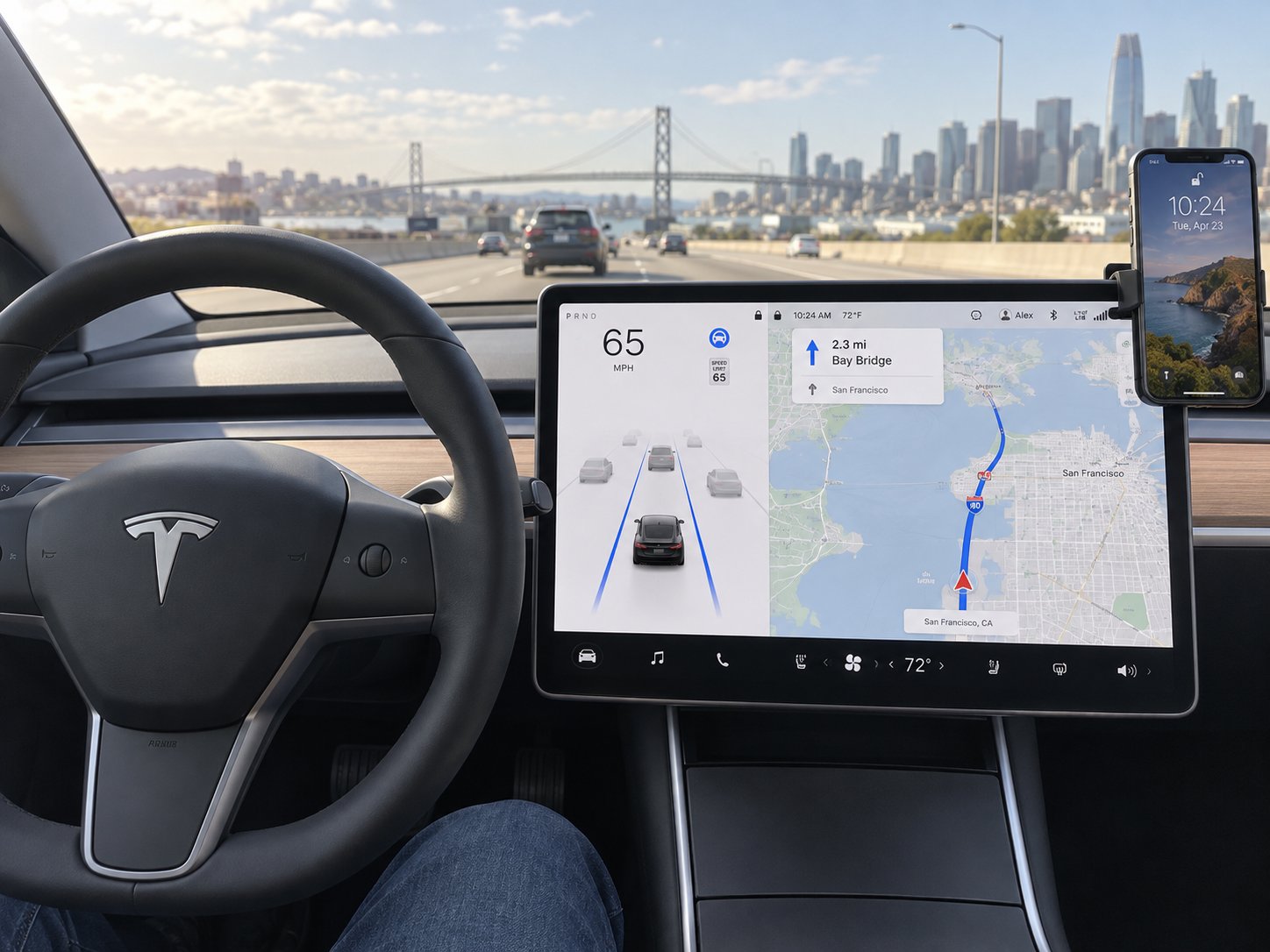
In most cars, a phone mount that covers a small section of the dashboard is a minor inconvenience. In a Tesla, it can block the button you need to turn on the air conditioning, shift into reverse, or check your Autopilot visualization. There are no physical knobs, no climate control dials, and no gear lever on newer models — everything runs through that center touchscreen. A poorly positioned tesla magsafe mount or clamp-style holder does not just look awkward; it can actively interfere with how you operate the vehicle. This makes mount placement a functional decision, not just an aesthetic one.
Three primary mounting zones define where a phone can sit relative to the screen: directly on the screen bezel edge, on the dashboard surface below or beside the display, and on the air vents beneath the screen. Each zone has distinct tradeoffs between touchscreen accessibility, driver sightline, and phone visibility.
Screen-Edge Mounts and What They Block
Screen-clip mounts are appealing because they position your phone right next to the Tesla display, creating a natural dual-screen layout. You glance at Waze on your phone, then glance at Autopilot on the Tesla screen — everything is at roughly the same eye level with minimal head movement. The problem is what sits underneath the phone once it is mounted.
Tesla's touchscreen interface places different controls in specific screen regions, and each region carries different consequences when obscured:
- Right-side Autopilot visualization — The driving visualization that shows your car, detected vehicles, lane markings, and navigation guidance occupies the right portion of the screen on Model 3 and Model Y. A phone clipped to the right bezel edge can partially or fully cover this visualization, which is the primary way drivers monitor what Autopilot "sees." Losing visibility here during highway driving is a genuine safety concern.
- Top status bar — The thin bar across the top of the display shows connectivity status, time, temperature, and quick-access icons. Covering it is annoying but not dangerous — you lose ambient information rather than active controls.
- Bottom media and climate row — Tesla places music controls, seat heater toggles, and HVAC shortcuts along the bottom of the screen. A mount clipped low on the bezel can block these, forcing you to dismiss or reposition the phone just to change the temperature.
- Left-side controls and gear selector — On Model 3 Highland and Model Y Juniper, the screen-based gear selector appears on the left edge of the display. A mount that clips to the left bezel could obstruct the swipe-to-shift interface, which is something you absolutely cannot afford to lose access to in a parking lot or during a quick three-point turn.
The safest screen region to partially obscure, if you must use a screen-clip mount, is the upper-right corner. This area typically shows the rear camera feed shortcut and app launcher — features that are useful but not time-critical while driving. Mounting your phone here preserves access to Autopilot visualizations, the gear selector, and the bottom-row climate controls.
One more thing worth noting: a model y phone mount that clips to the screen adds leverage and vibration to the display assembly. Tesla's touchscreens are secured firmly, but a heavy phone on a long clip arm bouncing over rough pavement applies repeated stress to the bezel. Lighter phones and shorter mount arms reduce this risk significantly.
Dashboard and Vent Mounts as Screen-Friendly Alternatives
If preserving full touchscreen access is your top priority — and for most Tesla owners, it should be — dashboard and vent mounts eliminate the obstruction problem entirely. Both position the phone below the screen rather than beside it, leaving every pixel of the Tesla display visible and every control reachable without moving the mount out of the way.
Vent mounts sit on the horizontal air vents directly beneath the touchscreen on Model 3 and Model Y. This places the phone in the lower-center of your forward field of view, roughly where a traditional car's climate controls would be. Navigation apps remain easily glanceable, and the Tesla screen above stays completely unblocked. The tradeoff is a slightly lower sightline. Your eyes travel a few more degrees downward to check phone-based navigation, which means marginally more time looking away from the road compared to a screen-edge mount that sits at true eye level.
Dashboard adhesive mounts offer similar benefits with more placement flexibility. You can stick them to the left of the screen, to the right, or on the narrow dash shelf below the display. Positioning off to one side keeps the phone in your peripheral vision without covering any part of the center screen. The downside, as discussed in earlier sections, is adhesive durability — but from a pure touchscreen-accessibility standpoint, a well-placed dashboard mount is hard to beat.
For drivers who use a vicseed tesla phone mount or similar vent-clip designs, the phone typically sits low enough that it does not even enter the visual footprint of the touchscreen. This is the key reason vent-clip mounts remain the most recommended style among Tesla owners who prioritize both phone visibility and full screen access.
Does Any Mount Obstruct Tesla Cameras or Sensors?
Tesla vehicles use an interior-facing cabin camera for driver monitoring, particularly when Autopilot or Full Self-Driving is engaged. Tesla activated these cabin cameras to detect and alert driver inattentiveness while driver-assistance features are active. The camera is positioned above the rearview mirror, facing the driver's seat. Because of its elevated, center-mounted location, a phone mount attached to the screen, vent, or dashboard sits well below the camera's field of view and does not interfere with driver monitoring in normal configurations.
The exception to watch for is oversized suction-cup mounts attached to the windshield. A large mount positioned near the top of the windshield could theoretically enter the peripheral field of the forward-facing cameras embedded in the windshield trim. While this is unlikely with standard-sized mounts, bulky cradle-style holders with wide arms and thick bases have more potential to encroach on these sensor zones. The forward-facing cameras are critical for Autopilot, lane-keeping, and collision avoidance — even a partial obstruction is something you want to avoid entirely.
Here is a practical list of placement dos and don'ts to keep your mount out of trouble:
- Do mount on the air vents below the touchscreen — this keeps the phone accessible without blocking any screen controls, cameras, or sensors.
- Do choose the upper-right screen edge if you prefer a screen-clip mount — this minimizes overlap with critical driving controls and Autopilot visualizations.
- Do verify that your phone, once mounted, does not cover the left-side gear selector on Highland or Juniper models.
- Do not mount a large cradle-style holder high on the windshield near the rearview mirror area — this risks interfering with the cabin camera used for driver attentiveness monitoring.
- Do not clip a mount to the bottom edge of the screen where climate controls and media shortcuts live — you will reach for those controls multiple times per drive.
- Do not assume a mount that leaves the screen clear when empty will still be fine with a large phone attached — a 6.7-inch or 6.9-inch device on a swivel arm can swing into screen territory during turns or bumps.
- Do test-fit with your actual phone and case before committing adhesive or finalizing clip tension — five minutes of adjustment in the driveway prevents weeks of frustration on the road.
Getting the placement right is half the battle. The other half is making sure the mount stays exactly where you put it — day after day, through temperature swings, road vibrations, and hundreds of phone docking cycles. How well a mount holds up over months of real-world use depends heavily on how it was installed in the first place and what kind of stress Tesla's unique cabin environment puts on its materials.
Installation Walkthrough and Long-Term Durability Expectations
A mount that looks great in the box can become a daily annoyance if it is installed carelessly. Skipping surface prep, forcing a vent clip onto the wrong blade angle, or slapping an adhesive pad onto a warm dashboard are mistakes that do not show up immediately — they show up three weeks later when your phone crashes onto the center console at a stoplight. Every mount type has a correct installation sequence, and Tesla's cabin environment raises the stakes because the glass roof, minimalist surfaces, and unique vent designs leave less room for error than a traditional car interior.
Step-by-Step Installation Tips by Mount Type
Regardless of which style you choose, a few universal principles apply before you even unbox the mount. Your Tesla should be parked in a cool, shaded area — ideally a garage. Cabin temperatures below 80°F are ideal for adhesive bonding, and even vent clips seat more predictably when plastic components are not heat-softened. Have a microfiber cloth and a small bottle of 70% isopropyl alcohol within reach. These two items matter more than any tool for ensuring a secure, lasting installation.
Here is a general installation sequence that adapts to vent-clip, adhesive, and magnetic mount types:
- Clean the mounting surface thoroughly. Whether you are attaching to a vent blade, the dashboard, or the screen bezel, wipe the contact area with isopropyl alcohol and a lint-free cloth. Oil from fingerprints, dust, and even invisible sunscreen residue are invisible enemies of grip and suction that prevent adhesives from bonding and clips from gripping at full strength. Let the surface dry completely — rushing this step is the single most common installation mistake.
- Test-fit before committing. Hold the mount against your chosen position without peeling the adhesive backing or fully clamping the clip. Check that your phone, once loaded, will not overlap touchscreen controls, block a vent you rely on, or sit in direct sunlight during your normal driving hours. Five minutes of dry-fitting prevents a frustrating reinstallation later.
- For vent-clip mounts: align the clip with the vent blade and press firmly until it clicks or seats flush. Tesla's horizontal vent slots on Model 3 and Model Y use a continuous air-bar design rather than individual fins. Slide the clip into the vent slot and adjust the tension screw or spring mechanism until the mount grips without bending the vent blade. Over-tightening can crack thin plastic vent components; under-tightening lets the mount sag once a phone is loaded. Aim for firm resistance when you wiggle the mount side to side — no movement is the target, but no creaking sounds either.
- For adhesive mounts: peel and press only when the surface is cool and dry. Position the adhesive pad precisely on your chosen dashboard area, press firmly for 30 to 60 seconds with steady downward pressure, and then leave the mount unloaded for at least two hours. Industrial 3M VHB tape reaches roughly 50% of its maximum bond strength within minutes, but full cure takes hours. Loading a heavy phone onto a freshly adhered mount is a recipe for it peeling off during your first highway on-ramp. Installing adhesive mounts in a hot car dramatically weakens the initial bond — dashboard surfaces above 100°F cause the adhesive to remain soft and pliable rather than forming a rigid grip.
- For screen-clip mounts: center the clip on the bezel edge and tighten gradually. Start with the clip loose, slide it to your desired screen edge position, then tighten incrementally. Check that the clip applies even pressure on both the front and back of the screen bezel. Uneven clamping creates a pivot point that lets the mount wobble or rotate when you dock a phone. On Tesla's thin-bezel Highland and Juniper screens, this step requires extra care — the margin between "secure" and "too tight" is narrower than on pre-refresh models.
- For magnetic mounts with adhesive plates on the phone: center the metal plate or MagSafe ring on the phone's back. If your phone does not have native MagSafe or Qi2 magnets, you are relying on an adhesive metal plate or ring stuck to your case. Align it with the phone's wireless charging coil location — typically the center of the upper back — and press firmly for 30 seconds. Misalignment here means weaker magnetic hold and inefficient charging. Many magnetic ring kits include an alignment template; use it.
Common Failure Points and How to Extend Mount Lifespan
Even a perfectly installed phone holder tesla owners depend on daily will degrade over time. The question is not if but when — and understanding the specific failure modes for each mount type lets you intervene before your phone takes a tumble.
Adhesive degradation from heat cycling is the most common failure in Tesla cabins. Every day, the interior heats up when the car sits in sunlight and cools back down overnight. This thermal cycling causes adhesive pads to expand and contract repeatedly, weakening molecular bonds at the contact surface. Research on adhesive-based car mounts shows they can lose 40 to 60 percent of their holding strength at elevated temperatures. In a Tesla with its panoramic glass roof admitting significantly more solar radiation than a standard steel-roofed car, this degradation accelerates noticeably. An adhesive mount that lasts a full year in a conventional sedan might start peeling in six to eight months inside a Model 3 or Model Y parked outdoors regularly.
Plastic vent-clip fatigue is subtler but equally real. Every time you dock and undock your phone, the clip flexes slightly. Over hundreds of cycles, the plastic at the pivot point develops micro-fatigue — the clip feels just a little looser each month. Mounts built with metal spring clips rather than all-plastic construction resist this wear significantly better. If your model 3 phone mount uses a plastic clip and you dock your phone twice a day, expect noticeable loosening within eight to twelve months of heavy use.
Magnet weakening is a concern primarily with budget magnetic mounts that use low-grade ferrite magnets instead of neodymium. Quality MagSafe and Qi2 mounts use N52 or N55 neodymium magnets that maintain their field strength for decades under normal conditions. Cheap alternatives lose magnetic force measurably within months, especially when exposed to the elevated cabin temperatures that Tesla's glass roof produces. If your tesla iphone holder cost under fifteen dollars and uses magnets as its primary retention method, test the hold strength periodically by holding the mount upside down with your phone attached — any sliding or gradual release indicates weakened magnets.
Here are preventive measures that meaningfully extend mount lifespan regardless of type:
- Park in shade whenever possible — reducing peak cabin temperatures by even 15 to 20 degrees Fahrenheit slows adhesive degradation and reduces thermal stress on plastic clips.
- Use a windshield sunshade — this is especially impactful for Teslas because it blocks direct solar heating of the dashboard surface where adhesive mounts bond. Even Tesla's infrared-reflective glass cannot eliminate radiant heat completely.
- Choose metal vent clips over plastic — stainless steel or aluminum spring clips resist fatigue far longer than injection-molded plastic. The price difference is typically only a few dollars but adds months of reliable grip.
- Check adhesive bond monthly — press gently on the mount base and feel for any give or slight peeling at the edges. Catching early separation lets you remove, clean, and reapply with a fresh adhesive pad before the mount fails completely.
- Enable Tesla's Cabin Overheat Protection — this feature activates the climate system when interior temperatures exceed a set threshold while the car is parked. It draws battery power, but it caps peak cabin temperatures well below the levels that destroy adhesive bonds fastest.
When to Replace a Worn-Out Phone Mount
A mount does not usually fail dramatically. It fails gradually — and that gradual loosening is easy to ignore until your phone slides off at exactly the wrong moment. Think of mount replacement the same way you think about replacing wiper blades or cabin air filters: it is routine maintenance, not an indictment of the product. Materials wear out, especially in the thermal environment of a Tesla cabin.
Watch for these warning signs:
- Phone slipping or tilting under its own weight — if the mount no longer holds your device at the angle you set, the retention mechanism has weakened past its useful life.
- Adhesive peeling at corners or edges — once the seal breaks at any point, air infiltrates the bond layer and the entire pad will fail soon after. Re-pressing the mount flat is a temporary fix at best.
- Vent clip rocking or rotating freely — a clip that felt firm at installation but now pivots loosely on the vent blade has fatigued beyond recovery. Tightening the tension screw may buy a few weeks, but the underlying material has stretched permanently.
- Magnetic hold noticeably weaker — if your phone used to snap firmly and now attaches hesitantly or requires you to reposition it multiple times, the magnets or the alignment ring have degraded.
- Visible material damage — cracked plastic, discolored adhesive residue, or a bent metal arm are all signs that the mount has absorbed more stress than it was designed to handle.
Replacing a worn mount every 12 to 18 months is normal for adhesive-based designs in Tesla cabins. Vent-clip and magnetic mounts with metal construction often last longer — two years or more — but still benefit from an honest assessment every year.
Tesla's panoramic glass roof allows significantly more solar heat into the cabin than a traditional steel roof, accelerating adhesive wear, plastic fatigue, and thermal stress on phone mount materials. Budget extra replacement cycles into your ownership expectations compared to mounts used in conventional vehicles.
Proper installation and realistic durability expectations keep your mount reliable over the long term. The final piece of the puzzle is matching all of this knowledge — mount type, model compatibility, phone ecosystem, thermal management, screen access, and durability — to the way you actually drive every day.
Choosing the Right Mount for Your Driving Style
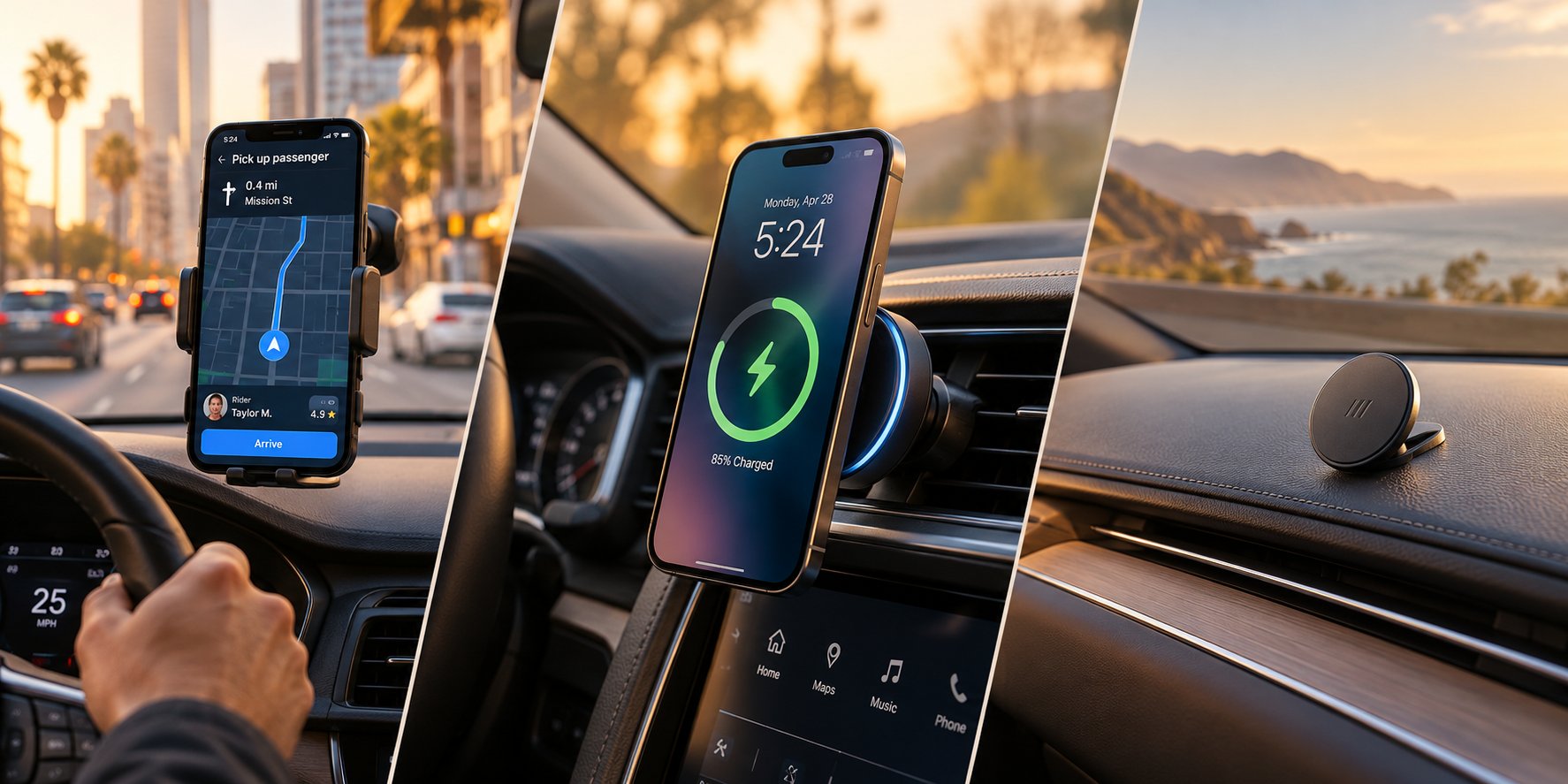
You have absorbed a lot of information up to this point — mount types, model-year fitment, charging standards, thermal risks, screen obstruction zones, and durability timelines. That is genuinely useful knowledge, but it does not answer the one question that actually matters when you are ready to buy: which mount is right for you? The answer depends less on specs and more on how you use your phone behind the wheel. A rideshare driver logging ten hours a day has radically different priorities than a weekend commuter who just wants a clean interior. Matching your primary driving scenario to the right mount type eliminates most of the guesswork and points you toward a confident purchase.
Best Mount Approach for Navigation-Heavy Drivers
If Waze, Google Maps, or Apple Maps is open every single time you drive, your phone needs to sit as close to your natural line of sight as possible. Every second your eyes drop below the horizon to check a turn-by-turn prompt is a second you are not watching the road. For navigation-heavy drivers — especially those doing delivery or rideshare work — the best tesla phone mount model y or Model 3 owners can choose is one that positions the phone at or near eye level.
Screen-edge clip mounts accomplish this most directly. They place your phone right beside the Tesla display, creating a side-by-side dual-screen layout where you can alternate between your navigation app and the Tesla interface with minimal head movement. The tradeoff, as covered earlier, is the risk of overlapping touchscreen controls. Stick to the upper-right screen edge to keep Autopilot visualizations, the gear selector, and climate shortcuts fully accessible.
Vent-clip mounts are the next best option. They sit just below the touchscreen, keeping the phone slightly lower than a screen-edge mount but still well within your forward field of view. For a car phone holder tesla model 3 or Model Y owners use daily, vent mounts offer the strongest combination of phone visibility and full touchscreen access. Drivers who run navigation apps for eight or more hours a day should also consider whether they need wireless charging built into the mount — a dead phone mid-route is not just inconvenient, it can cost you earnings.
Best Mount Approach for Wireless Charging Priority
Some drivers care less about screen position and more about never plugging in a cable. If keeping your phone topped off without fumbling with cords is the priority, a Qi2 or MagSafe charging mount is the clear choice. These mounts combine magnetic docking with wireless power delivery, so your phone starts charging the moment it snaps into place.
The critical variable here is not the charger itself — it is heat management. As discussed in the overheating section, wireless charging inside a Tesla's glass-roofed cabin generates enough warmth to trigger thermal throttling on warm days. Drivers who prioritize charging should look for mounts with active cooling — built-in fans or semiconductor cooling plates that pull heat away from the phone's back surface. Without active cooling, a magsafe car holder tesla owners rely on during summer months may deliver inconsistent charging speeds as the phone cycles between accepting and rejecting power.
Mount placement matters just as much as cooling technology. Position a charging mount on a shaded vent below the screen rather than on a sun-exposed windshield or screen edge. The vent itself provides a secondary cooling benefit, since Tesla's HVAC pushes conditioned air directly past the phone when airflow is active. This passive airflow, combined with an actively cooled mount, creates the most thermally favorable charging setup available inside a Tesla cabin.
Best Mount Approach for Minimal Interior Disruption
Tesla's interior is deliberately spare. Every surface is clean, every line is intentional, and a bulky phone mount strapped to the dashboard can feel like hanging a picture frame on a museum wall. If preserving that minimalist aesthetic matters to you — and for many owners, it genuinely does — the goal is a mount that disappears when no phone is attached.
Low-profile magnetic mounts excel here. A small magnetic puck mounted to a vent blade or adhesive-bonded to the dashboard takes up almost no visual space. When your phone is not docked, the mount is barely noticeable. When your phone is attached, it appears to float in place without any visible arms, clamps, or cradles. This clean look comes with a practical requirement: your phone must have MagSafe, Qi2, or an adhesive magnetic ring to dock magnetically. Without that, you are stuck with a clamp-style mount that inherently adds visual bulk.
Dashboard-mounted magnetic pucks positioned to the left or right of the screen — rather than directly on or below it — offer the most discreet placement. They keep the phone in peripheral view without competing with the Tesla display for visual attention. For owners who only mount their phone occasionally and otherwise leave it on the console charging pad, a small magnetic mount that blends into the interior is the ideal compromise between access and aesthetics.
The table below maps each driving scenario to a recommended mount approach, the key feature to prioritize, and a realistic price range for quality options in that category.
| User Scenario | Recommended Mount Type | Key Feature to Prioritize | Estimated Price Range |
|---|---|---|---|
| Navigation-heavy driving (Waze, Google Maps, gig apps) | Screen-edge clip or vent-clip mount | Eye-level phone position with full touchscreen access | $20 - $50 |
| Wireless charging priority (cable-free convenience) | Qi2 or MagSafe charging mount with active cooling | Built-in fan or thermal management for consistent charge speed | $40 - $75 |
| Minimal interior disruption (aesthetic-first owners) | Low-profile magnetic puck (vent or dashboard) | Small footprint that disappears when phone is undocked | $15 - $40 |
| Dual-use: navigation and charging combined | MagSafe/Qi2 vent mount with cooling | Magnetic docking at vent level with shaded, cooled charging | $45 - $75 |
| Occasional use (phone usually on console pad) | Removable magnetic mount or lightweight clamp | Quick attach/detach with no permanent modification | $15 - $35 |
Notice that every scenario points toward a different combination of mount type and feature priority. A gig driver spending $50 on a sturdy vent-clip mount with charging will get a completely different return on investment than a commuter spending $20 on a minimalist magnetic puck. Neither choice is wrong — they are just optimized for different daily realities.
For drivers ready to explore specific options filtered by mounting method and Tesla model, retailers specializing in Tesla accessories tend to offer better compatibility data than general marketplace listings. CUTIM's Tesla Phone Mounts & Holders collection, for example, organizes its selection by mount type — vent-mounted, dashboard, magnetic, and wireless-charging designs — and lets you filter by Tesla model compatibility and phone features. That kind of curated organization makes it significantly easier to narrow choices based on your specific vehicle and driving scenario rather than scrolling through hundreds of generic results.
Regardless of where you shop, the same decision logic applies: identify your primary use case from the table above, confirm your Tesla model and refresh year, and verify that the mount supports your phone's charging standard. Those three filters eliminate the vast majority of mismatched products before you ever click "add to cart" — and they set up the final step of turning this entire guide into a simple, repeatable decision checklist.
Final Decision Framework and Where to Shop Smart
Nine sections of mount types, model-year fitment, charging standards, thermal science, and screen-access tradeoffs can feel like a lot to hold in your head at once. The good news? Every decision in this guide funnels down to three straightforward filters. Get these three right, and you will land on the best phone mount for Tesla Model Y, Model 3, or whichever variant you drive — without second-guessing your purchase a week later.
Your Three-Step Decision Checklist
Think of this as the short version of everything above. If you remember nothing else from this article, remember these three steps:
- Confirm your Tesla model and refresh year to narrow compatible mount types. A mount built for a 2022 Model 3 is not the same as one designed for the 2024 Highland, and a pre-Juniper Model Y mount will not fit the 2025 Juniper dashboard. Check the product listing for generation-specific language — "fits Model 3" without a year range is a red flag, not a feature. If the listing does not mention Highland, Juniper, or a specific year span, assume the fitment has not been verified for your car.
- Determine whether you need MagSafe, Qi2, or universal clamp compatibility. iPhone 12 and newer owners with MagSafe cases get the smoothest magnetic docking experience. Android owners with Qi2-equipped phones enjoy the same magnetic convenience. Everyone else — older iPhones, most current Android devices, or anyone with a thick rugged case — should lean toward a universal spring-clamp mount that grips any phone regardless of magnet support. Picking the wrong retention system means either a phone that does not hold securely or a charging feature you cannot actually use.
- Prioritize your top use case — navigation visibility, wireless charging, or minimal aesthetic impact. Navigation-heavy drivers need eye-level positioning and full touchscreen access, which points toward screen-edge or vent-clip mounts. Charging-focused owners should invest in a Qi2 or MagSafe mount with active cooling and place it on a shaded vent. Aesthetic-first owners benefit most from a low-profile magnetic puck that virtually disappears when the phone is not docked. Trying to optimize for all three at once usually means compromising on the one that matters most to your daily routine.
That is genuinely all it takes. These three filters — vehicle generation, phone ecosystem, and primary use case — eliminate the vast majority of mismatched products before you spend a dollar. Everything else, from price comparisons to brand preferences, becomes a much simpler decision once those fundamentals are locked in.
Where to Start Shopping With Confidence
The biggest shopping mistake Tesla owners make is browsing general marketplaces without filtering for model-year compatibility first. A search for the best phone holder for Tesla Model Y on a major retail site returns hundreds of results, and most listings use vague compatibility language like "fits Tesla Model 3/Y" without distinguishing between legacy and refreshed interiors. That ambiguity is where costly returns happen.
Tesla-focused accessory retailers tend to solve this problem better than general marketplaces. Because their entire catalog targets Tesla owners, they have a stronger incentive to list exact model-year compatibility, show real fitment photos from inside specific cabins, and separate Highland or Juniper products from legacy equivalents. That specificity saves you the guesswork that generic listings leave unresolved.
CUTIM's Tesla Phone Mounts & Holders collection is one example of this curated approach. Their selection is organized by mounting method — vent-mounted, dashboard, magnetic, and wireless-charging designs — and allows you to evaluate options by Tesla model compatibility and phone features before committing. That kind of structured browsing narrows your choices far more efficiently than scrolling through pages of loosely categorized results on a general marketplace.
Regardless of where you ultimately buy, apply these final shopping habits to protect your purchase:
- Cross-reference with owner forums and community reviews. Reddit's r/TeslaModel3 and r/TeslaModelY communities, along with dedicated Tesla forums, are filled with real-world durability feedback that product listings rarely include. A mount with five-star reviews on a retail page might have a six-month adhesive failure pattern that only surfaces in owner discussions.
- Look for fitment photos taken inside an actual Tesla cabin — not just studio product shots on a white background. If a seller does not show the mount installed in the specific model and generation it claims to fit, treat that as missing evidence rather than an oversight.
- Verify return policies before purchasing. Even with careful research, fitment surprises happen. A retailer with a straightforward return window gives you the freedom to test-fit without financial risk.
You already know more about Tesla phone mount compatibility, installation, and long-term durability than the vast majority of buyers. Use that knowledge as your filter, trust the three-step checklist to guide your decision, and you will end up with a mount that fits your car, works with your phone, and stays out of the way of the touchscreen you depend on for everything else.
Frequently Asked Questions About Tesla Phone Mounts
1. Will a phone mount block my Tesla touchscreen controls?
It depends entirely on mount type and placement. Screen-clip mounts carry the highest risk, potentially covering the Autopilot visualization, climate shortcuts, or even the gear selector on Highland and Juniper models. Vent-clip and dashboard mounts sit below the screen and leave every control fully accessible. If you prefer a screen-edge mount, the upper-right corner is the safest zone because it only overlaps non-critical elements like the app launcher. Always test-fit with your actual phone and case before committing to a position.
2. Do Tesla phone mounts fit both pre-refresh and Highland or Juniper models?
Most do not. Tesla's mid-cycle refreshes changed vent slot dimensions, dashboard contours, and screen bezel thickness in ways that directly affect mount fitment. A vent-clip mount designed for a 2022 Model 3 may not grip the redesigned Highland vents at all, and a pre-Juniper Model Y screen-clip mount could clamp too loosely on the Juniper's updated bezel. Always confirm the product listing specifies your exact model generation and year range rather than a generic 'fits Model 3/Y' claim.
3. Can I use a MagSafe car mount with an Android phone in my Tesla?
Yes, with a workaround or the right hardware. You can attach an adhesive MagSafe-compatible magnetic ring to any Android phone case, which lets it dock onto magnetic mounts. However, the hold may be weaker than native MagSafe iPhones, and thick rugged cases reduce grip further. A better long-term option is upgrading to a Qi2-equipped Android phone, which has factory-integrated magnets identical to MagSafe alignment. Alternatively, universal spring-clamp mounts work with any phone regardless of magnet support. Retailers like CUTIM's Tesla Phone Mounts collection (https://www.cutimauto.com/collections/tesla-phone-mounts) organize options by phone compatibility, making it easier to find a mount matched to your device.
4. Why does my phone overheat while wirelessly charging in my Tesla?
Wireless charging generates heat through electromagnetic induction, and Tesla's panoramic glass roof amplifies cabin temperatures significantly compared to steel-roofed vehicles. When a phone mounted in direct or indirect sunlight receives wireless power simultaneously, internal temperatures climb quickly. The phone's operating system responds by throttling charging speed, dimming the screen, or pausing charging entirely. Premium mounts with active cooling fans or semiconductor cooling plates help by pulling heat away from the phone, but mount placement matters just as much. Positioning your charging mount on a shaded vent below the screen, where HVAC airflow provides passive cooling, delivers the most consistent charging performance.
5. How long do adhesive phone mounts last inside a Tesla?
Adhesive mounts typically last six to twelve months in a Tesla parked outdoors regularly, compared to a year or more in conventional steel-roofed vehicles. The glass roof admits more solar heat, causing daily thermal cycling that expands and contracts adhesive pads and weakens their bond over time. You can extend lifespan by parking in shade, using a windshield sunshade, enabling Tesla's Cabin Overheat Protection, and installing the mount only when the dashboard surface is cool and clean. Check the adhesive bond monthly by pressing gently on the base. If you notice any give or edge peeling, replace the adhesive pad before the mount fails during driving.