
Why Every Tesla Owner Eventually Asks This Question
You tap it to adjust the mirrors. You swipe it to change the temperature. You pinch it to zoom into the navigation map while merging onto a highway. Your Tesla's touchscreen isn't just a nice feature — it's the entire control center of the vehicle. Unlike traditional cars with physical buttons and knobs, virtually every function in a Tesla runs through that single glass panel. So does Tesla need a screen protector, or is the factory glass tough enough to handle years of daily use on its own?
It's a question that sounds simple, but the answer involves more nuance than most online discussions let on. This guide exists to offer a genuinely unbiased, editorial-first breakdown — not a thinly veiled sales pitch. Whether you end up buying a tesla screen protector or deciding to skip one entirely, you'll walk away with the information you actually need.
Why This Question Matters More Than You Think
When your phone screen cracks, you visit a repair shop and pay somewhere under $100. Annoying, sure, but manageable. A Tesla touchscreen is a completely different story. It's not just a piece of glass — it's an integrated computing unit fused with the vehicle's main computer. Replacing it can mean a bill that catches owners completely off guard.
That financial reality is the backbone of the decision framework this article uses. We'll examine factory protection versus real-world wear, weigh replacement costs against protector trade-offs, and help you determine whether a tesla screen protector is necessary for your specific situation and driving habits.
What This Guide Covers That Others Miss
Most articles on this topic give you a quick opinion and a product link. This one goes deeper — covering Tesla's official stance on aftermarket screen accessories, the actual glass specifications from the factory, a model-by-model breakdown spanning every current Tesla, a financial framework for the decision, and alternative solutions if you decide against a protector altogether.
The touchscreen is the most expensive single component most Tesla owners touch every day, yet most owners never research whether it needs protection until after damage occurs.
That gap between daily interaction and protective awareness is exactly why so many owners eventually find themselves searching "do you need a tesla screen protector" — often after noticing the first cluster of micro-scratches catching sunlight at just the wrong angle. The real question isn't whether damage can happen. It's whether the factory glass is built to withstand it — and what Tesla themselves have to say about adding protection.
What Tesla Officially Says About Screen Protectors
Tesla doesn't stay silent on this topic — and their position is the single biggest reason many owners hesitate before applying any aftermarket screen accessory. Buried in the owner's manual for the Model 3, Model Y, Model S, Model X, and Cybertruck, you'll find a CAUTION statement specifically addressing aftermarket screen protectors. If you've ever searched "do you need screen protector for Tesla" and hit a wall of conflicting opinions, this official stance is likely the root of the confusion.
The warning is real. But what it actually means — and how it translates to everyday ownership — deserves a closer look than most people give it.
Tesla's Official Caution Statement Explained
Tesla's owner's manual warns that aftermarket screen protectors and coatings applied to the touchscreen may cause issues with the display's functionality. Specifically, the manual highlights three potential concerns:
- Phantom inputs — the screen registering touches that never happened, potentially triggering random commands while driving.
- Delayed touchscreen response — a lag between your tap and the screen's reaction, which can be frustrating and, in some driving scenarios, a genuine safety concern.
- Electrostatic discharge interference — static buildup between the protector and the display surface disrupting normal capacitive touch behavior.
This warning appears across owner's manuals for multiple Tesla models, and it's the primary reason forums and Reddit threads are flooded with owners second-guessing whether a screen protector Tesla accessories are worth the risk. Here's where balanced context matters, though. The caution statement covers all aftermarket accessories applied to the screen — not just protectors specifically. Tesla uses broad liability language designed to shield the company from responsibility if any third-party product interferes with vehicle functions. It's a legal umbrella, not a targeted engineering assessment of every screen protector on the market.
How Common Are These Issues in Practice
Imagine reading a warning label on a ladder that says "may cause injury." Technically accurate? Absolutely. Does it mean every person who climbs a ladder gets hurt? Not even close. Tesla's caution statement operates in a similar space — it identifies a possibility, not a certainty.
In real-world owner experience, the gap between Tesla's warning and actual reported problems is significant, and it comes down to two factors: protector quality and installation quality.
Cheap, thin film protectors are far more likely to cause the touch sensitivity issues Tesla describes. Their adhesive layers can interfere with the screen's capacitive touch sensors, especially when air pockets or debris get trapped underneath. You'll find most negative experiences on forums like Reddit trace back to budget film options or poorly executed installations.
Modern tempered glass protectors tell a different story. A quality tesla glass screen protector is specifically engineered to maintain capacitive touch accuracy. These products use ultra-thin adhesive layers calibrated to transmit finger inputs without signal loss. When properly installed on a clean surface, they preserve the screen's original responsiveness — the same reason tempered glass protectors dominate the smartphone accessory market without widespread touch complaints.
The issues Tesla warns about — phantom touches, delayed response — are almost always traced back to installation errors rather than the protector material itself. Trapped dust particles create uneven pressure points. Misaligned protectors leave adhesive residue on active touch zones. Air bubbles distort the contact surface. Each of these mistakes mimics the exact symptoms Tesla's manual describes, which reinforces the warning's validity while simultaneously revealing that the root cause is usually human error, not a fundamental incompatibility.
Tesla's warning is a liability disclaimer, not a definitive technical prohibition — and understanding that nuance helps owners make genuinely informed decisions rather than fear-based ones.
This distinction between a blanket corporate caution and the practical realities of modern screen protector technology is critical. It doesn't mean you should ignore Tesla's guidance — it means you should weigh it alongside what actually causes touchscreen problems. And the biggest factor in a trouble-free experience? The quality of the glass itself and what's happening at the factory level before any protector enters the picture.
Tesla's Factory Screen Glass and Built-In Protection
Tesla doesn't ship its vehicles with bare, unprotected glass and hope for the best. Every touchscreen leaves the factory with built-in defenses — but how much protection do those defenses actually provide? Understanding exactly what's on that screen from day one is the foundation of a smart decision about whether to add anything else on top of it.
What Type of Glass Tesla Uses
Tesla touchscreens use hardened glass topped with an oleophobic coating. If that second term sounds unfamiliar, think of it this way: "oleophobic" literally means "oil-fearing." It's a microscopically thin layer of fluorinated polymer — typically between 5 and 20 nanometers thick — applied to the glass surface to repel the oils your skin naturally produces. For perspective, a single human hair is roughly 75,000 nanometers wide. You can't see this coating, and you can't feel it directly, but you absolutely notice what it does.
When the oleophobic layer is intact, fingerprints bead up into tiny droplets instead of spreading across the surface. A quick wipe with a microfiber cloth removes them cleanly. The screen feels smooth and responsive under your fingertip — that satisfying, frictionless glide you experience in a new Tesla is largely the oleophobic coating doing its job. The hardened glass underneath, meanwhile, provides structural rigidity and resists the kind of deep gouges that would compromise the display.
Sounds like solid protection, right? It is — on day one. The problem is what happens over the following months and years of daily interaction.
How Factory Coatings Degrade Over Time
Here's a reality that catches many Tesla Model 3 screen protector skeptics off guard: the oleophobic coating is not permanent. It's a consumable layer that wears down through regular use, and the degradation timeline is shorter than most owners expect.
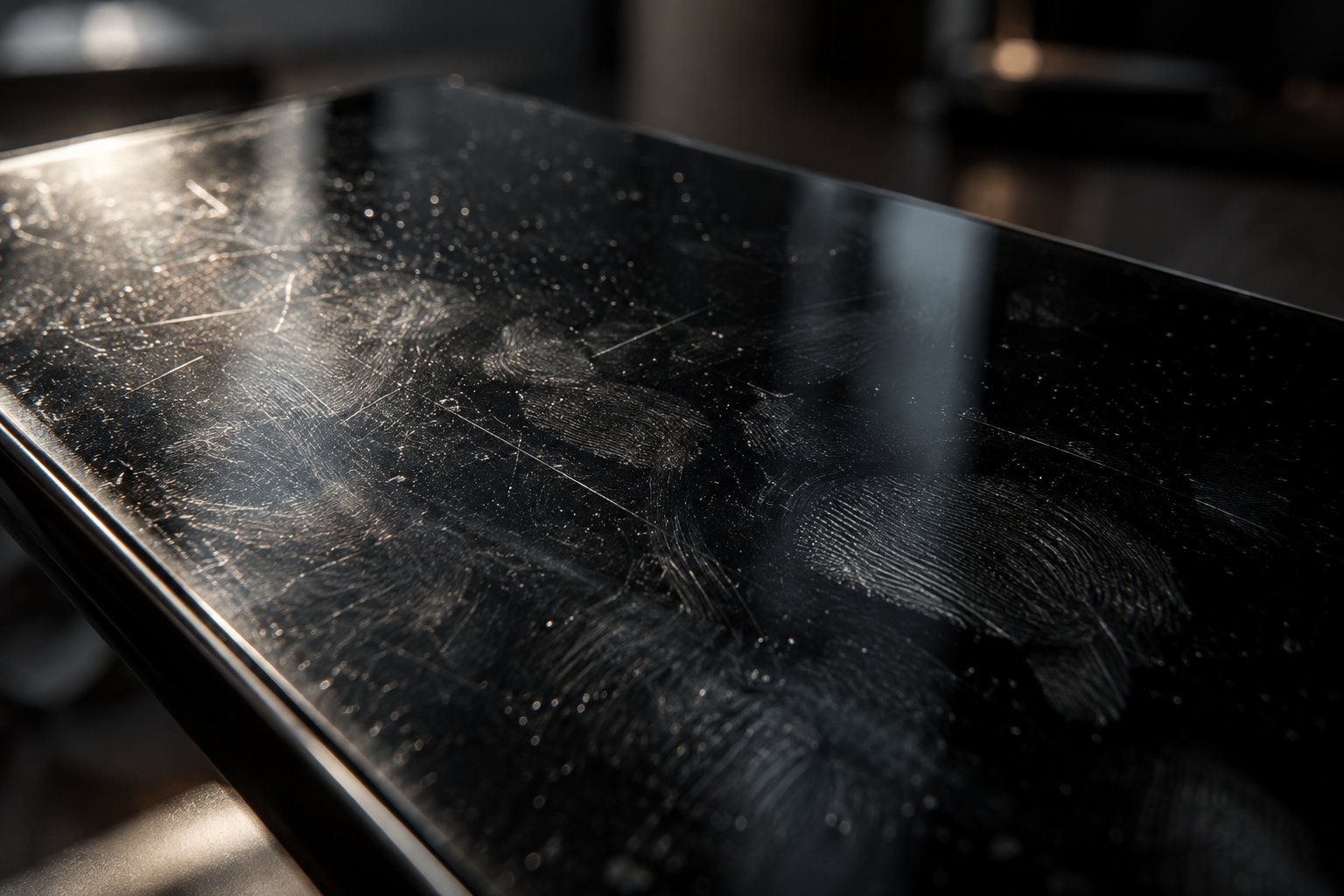
In real-world conditions, oleophobic coatings on touchscreens typically show noticeable degradation within one to two years of daily use. You'll start spotting the signs gradually — fingerprints that used to wipe away in a single swipe now smear stubbornly. The screen develops a slightly sticky or draggy feel under your finger. Water droplets that once beaded up tightly begin to spread flat against the surface. Some owners notice uneven patches where the coating has worn away faster in high-touch zones, creating areas that reflect light differently from the rest of the display.
What accelerates this process? Several everyday factors work against the coating simultaneously:
- Cleaning products — Ammonia-based glass cleaners, high-concentration isopropyl alcohol, and even hand sanitizer chemically strip the fluorinated polymer layer. Each cleaning session with the wrong product removes a small amount of the coating permanently.
- Abrasive materials — Paper towels and tissues contain wood fibers that act like extremely fine sandpaper on a coating only nanometers thick. Even a gentle wipe with the wrong cloth creates mechanical wear.
- Heat and UV exposure — A car interior baking in direct sunlight accelerates the breakdown of polymer bonds in the coating. Owners in sunny climates or those who park outdoors regularly will see faster degradation.
- Repetitive touch — Simply using the screen as intended — tapping, swiping, pinching — gradually wears the coating in high-contact areas like the navigation controls and media buttons.
Newer Tesla models may feature improved coatings or glass compositions compared to earlier production years. The Tesla Model Y standard screen, for example, has seen iterative refinements as Tesla updates its manufacturing processes. But the fundamental vulnerability remains across every model: oleophobic coatings are designed to degrade, and no factory-applied layer on any automotive or consumer electronics screen is immune to this reality.
The Scratch Resistance Reality
This is where the most common misconception lives. Tesla's hardened glass is scratch-resistant — it is not scratch-proof. Those two words sound similar, but the difference between them is where real-world damage happens.
Scratch-resistant means the glass can withstand contact with many everyday materials without marking. Scratch-proof would mean nothing can scratch it, and no glass used in any consumer product meets that standard. Even Gorilla Glass on premium smartphones picks up micro-scratches over time. Tesla's touchscreen glass follows the same rules of physics.
To put it in practical terms, here's what can and cannot scratch your Tesla's factory glass based on the Mohs hardness scale and real-world owner reports:
- Won't scratch the glass: fingertips, most clothing fabrics, standard microfiber cloths, soft plastic styluses, and rubber-tipped accessories.
- Can cause micro-scratches over time: fingernails (especially longer or rough-edged ones), metal rings and watch bands brushing the screen during use, belt buckles or zipper edges when reaching across the center console, and abrasive cleaning materials like paper towels.
- Will scratch the glass: sand or grit particles trapped on a cleaning cloth, keys dragged across the surface, loose coins or metal objects sliding off the dashboard, and any material harder than the glass itself such as quartz-based dust commonly found in desert or beach environments.
The tricky part? Micro-scratches are cumulative and invisible — until they aren't. You won't notice a single swipe from a ring. But after a year of daily interactions, those tiny abrasions cluster together and become visible when sunlight hits the screen at certain angles. By that point, the damage is cosmetic and permanent. No cleaning product or coating can reverse physical scratches in glass.
This is precisely why the tesla model y screen protector debate and the tesla model 3 glass screen protector conversation keep resurfacing in owner communities. The factory glass is genuinely good — but "good" and "invulnerable" aren't the same thing. And when you factor in what it actually costs to replace a damaged touchscreen, the stakes of that distinction become very real.
The Real Cost of Replacing a Tesla Touchscreen
That cluster of micro-scratches catching the light? Annoying, but livable. A hairline crack from a phone dropped onto the screen at the wrong angle? A different conversation entirely. Most Tesla owners assume touchscreen damage means swapping out a piece of glass — similar to replacing a cracked phone screen at a mall kiosk. The reality of what's involved, and what it costs, is what turns the screen protector question from a casual curiosity into a serious financial calculation.
Tesla Touchscreen Replacement Pricing
Here's where the sticker shock hits. A Tesla touchscreen replacement is not a simple glass swap. The display is fused with the vehicle's central computing unit — the Media Control Unit, or MCU — which means a damaged screen often requires replacing the entire integrated assembly. You're not paying for a panel of glass. You're paying for the brain of the car.
Replacement costs vary by model and the extent of the damage, but owners routinely report bills in the range of $1,500 to $2,500 or more for the display assembly alone. Some repairs, particularly on the Model S, Model X, or Cybertruck with their larger screens, can push even higher. And those figures typically cover just the parts. Labor charges from a Tesla Service Center add another layer — often several hundred dollars depending on your location and the complexity of the swap.
Think about that for a moment. A component you touch dozens of times every single drive carries a replacement price tag that rivals a major mechanical repair. An engine mount replacement, a suspension overhaul, a brake system refurbishment — a cracked touchscreen sits in the same cost neighborhood as all of these.
Screen Protector Cost vs Replacement Cost
The math here doesn't require a finance degree. A quality screen protector — whether tempered glass, matte, or clear film — typically costs between $15 and $50 for Tesla-specific options. Even if you opt for professional installation, you're adding another $20 to $50 at most. Compare that against what you'd pay if the bare screen sustains damage that goes beyond cosmetic scratching.
| Expense | Typical Cost Range | Frequency |
|---|---|---|
| Quality screen protector | $15 – $50 | Every 1 – 3 years |
| Professional installation (optional) | $20 – $50 | Per application |
| Total protector investment over 5 years | $35 – $200 | Cumulative |
| Touchscreen assembly replacement (parts) | $1,500 – $2,500+ | Per incident |
| Tesla Service Center labor | $200 – $500+ | Per incident |
| Total replacement cost | $1,700 – $3,000+ | Per incident |
Even at the high end, five years of protector replacements costs roughly what you'd tip your mechanic on a touchscreen repair bill. The best tesla screen protector isn't necessarily the most expensive one — it's the one that prevents you from ever seeing a four-figure invoice for something a $30 accessory could have absorbed. This financial framing is the strongest argument in favor of screen protection regardless of which brand you choose, and it's the reason the best screen protector for tesla conversations keep growing across owner communities.
Does Tesla Warranty Cover Screen Damage
A natural follow-up question: doesn't the warranty handle this? Unfortunately, the answer disappoints most owners who ask it.
Tesla's New Vehicle Limited Warranty covers manufacturing defects — things like dead pixels appearing without cause, unresponsive touch zones that develop on their own, or display malfunctions traceable to a factory flaw. What it does not cover is damage caused by owner use. Cosmetic scratches from daily interaction, cracks from impact, screen burns from prolonged static images — these fall squarely under owner responsibility.
In practical terms, if you drop your phone onto the touchscreen and it cracks, that's your bill. If accumulated micro-scratches degrade visibility to the point where you want a replacement, that's your bill too. The warranty draws a clear line between "something went wrong in manufacturing" and "something happened during ownership."
What about the protector itself — does applying one void your vehicle warranty? No. Adding an aftermarket screen protector does not void your Tesla warranty under federal law, specifically the Magnuson-Moss Warranty Act, which prevents manufacturers from voiding warranties solely because of aftermarket accessories. However, there's a practical nuance worth understanding. If your touchscreen develops a malfunction — phantom inputs, unresponsive zones, display glitches — and you have a protector installed, Tesla's service team could potentially attribute the issue to the aftermarket accessory rather than a manufacturing defect. In that scenario, the CAUTION statement in the owner's manual gives Tesla grounds to deny a warranty claim related to touchscreen performance.
The takeaway? A protector won't void your warranty for unrelated repairs like drivetrain or suspension issues. But it could complicate a touchscreen-specific warranty claim if Tesla determines the protector contributed to the malfunction. Choosing the best tesla model 3 screen protector or best tesla model y screen protector — one that maintains full touch accuracy without interference — directly reduces this risk.
This financial picture makes one thing clear: the screen protector decision isn't really about whether you want to spend $30. It's about whether you want to gamble against a potential $2,000 repair on a component you interact with every time you drive. The numbers tell a straightforward story — but numbers alone don't capture the full picture. The benefits, trade-offs, and honest drawbacks of actually living with a protector on your Tesla's screen deserve their own balanced examination.
Honest Pros and Cons of Tesla Screen Protectors
The replacement cost data paints a compelling picture — but a $2,000 risk doesn't automatically mean every owner should rush to apply a protector. Real life is messier than a cost comparison table. Some owners install a screen protector and forget it's even there. Others find it changes the screen experience in ways they didn't anticipate. A genuinely balanced assessment requires looking at both sides with equal honesty, so you can decide what makes sense for your driving life rather than following someone else's blanket recommendation.
Benefits of Using a Tesla Screen Protector
The advantages go beyond simple scratch prevention. When you consider how central the touchscreen is to every Tesla interaction, the benefits compound over thousands of drives and tens of thousands of screen taps.
- Protection against micro-scratches from daily use — Every swipe, tap, and pinch-to-zoom creates friction on the glass surface. Rings, fingernails, and even grit particles invisible to the naked eye leave cumulative marks. A screen protector absorbs this daily wear instead of the factory glass, keeping the original surface pristine underneath. When the protector eventually shows wear, you peel it off and apply a fresh one — the screen itself stays untouched.
- Reduced fingerprint visibility with matte options — If smudgy fingerprints drive you crazy, a matte tesla screen protector transforms the experience. The textured surface diffuses oils from your skin across a wider area instead of letting them collect into visible prints. You'll find yourself reaching for the microfiber cloth far less often, which, ironically, also reduces wear on the underlying screen coating.
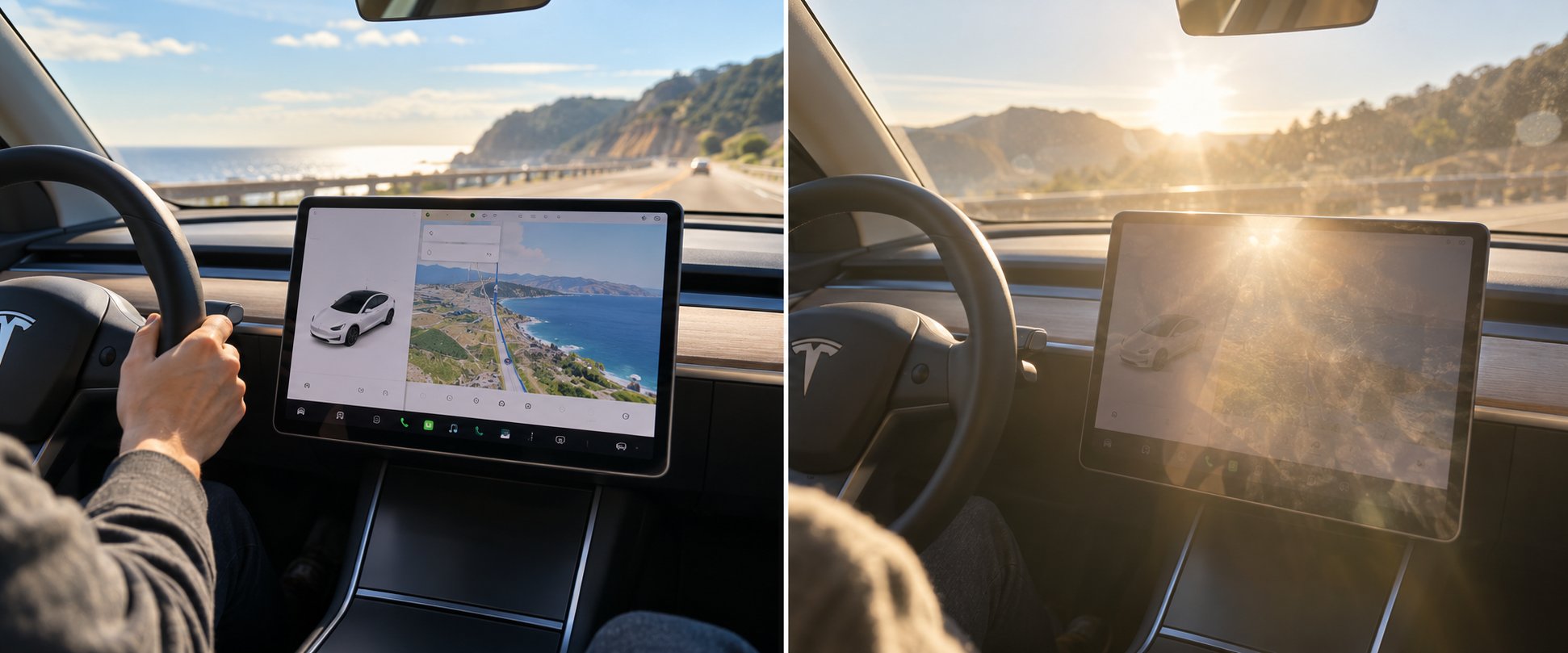
- Glare reduction for daytime driving — This is where an anti glare tesla screen protector earns its value most dramatically. If you've ever squinted at your Tesla's screen while the afternoon sun pours through the windshield, you know the frustration. A tesla anti glare screen protector scatters incoming light rather than reflecting it directly into your eyes, making navigation readability and climate controls accessible without repositioning your head or shading the screen with your hand. Owners in sun-heavy states like Arizona, Florida, and California consistently rank glare reduction as the single most noticeable daily improvement.
- Preserved resale value of the touchscreen — A scratched-up, hazy touchscreen tells a buyer the car wasn't well maintained — even if everything mechanical is flawless. Since Tesla's screen is the first thing any potential buyer interacts with during a test drive, its condition shapes their perception of the entire vehicle. Keeping the factory glass in like-new condition under a protector directly supports stronger resale pricing.
- Prevention of costly screen replacements — Beyond micro-scratches, a tempered glass protector provides a sacrificial impact layer. A dropped phone, a flying object from the back seat, or an accidental strike from a hard object hits the protector first. The protector may crack — but cracking a $30 accessory instead of a $2,000 display assembly is the entire point.
Potential Drawbacks and Risks to Consider
Honesty cuts both ways. Screen protectors aren't flawless accessories, and pretending otherwise doesn't help you make a good decision. Here are the real trade-offs worth weighing.
- Potential touch sensitivity changes — Low-quality protectors, particularly thin film options with poorly calibrated adhesive layers, can introduce a subtle lag or reduce the screen's responsiveness to light touches. Premium tempered glass products minimize this risk significantly, but it's not zero. If you've ever used a cheap phone protector that made typing feel slightly off, you understand the sensation — and on a screen that controls your car's core functions, even a slight change is more noticeable.
- Risk of air bubbles or dust during installation — A protector is only as good as its installation. Trapped dust particles create tiny raised spots. Air bubbles produce uneven contact between the adhesive and the glass. Both issues can cause the exact phantom touch and delayed response symptoms that Tesla's manual warns about. This isn't a flaw of the product itself — it's a flaw in execution — but it's a real risk, especially for first-time installers working on a 15-inch surface.
- Slight change in screen clarity with some protector types — A tesla screen protector matte option, for all its glare-fighting benefits, does introduce a trade-off in screen sharpness. The textured surface that diffuses light also softens the crispness of text and images slightly. Most owners find the trade acceptable or even preferable, but if you're particular about vibrant color reproduction and razor-sharp resolution, you'll notice the difference. Clear tempered glass protectors preserve clarity much more faithfully.
- Tesla officially cautions against them — You can't ignore this entirely. While the warning functions primarily as a liability disclaimer, it does mean that if you experience a touchscreen malfunction with a protector installed, Tesla's service team has documented grounds to attribute the issue to your aftermarket accessory. That's a real consideration, even if the statistical likelihood of a quality protector causing problems is low.
- Ongoing replacement cost over time — A screen protector isn't a one-time purchase. Depending on wear patterns and the type you choose, you may replace it every one to three years. Over a decade of ownership, that's potentially three to ten protectors plus the time spent on removal and reinstallation. The cumulative cost remains a fraction of a screen replacement, but it's not truly a set-it-and-forget-it accessory.
Weighing the Decision for Your Situation
Here's where the question shifts from "does tesla need screen protector" in general to whether you specifically benefit from one. Your daily habits, driving environment, and ownership plans matter more than any universal recommendation.
A screen protector makes more sense if you:
- Have children or passengers who regularly touch, tap, or poke the screen with unpredictable force and occasionally sticky fingers.
- Drive in harsh sunlight regularly, where glare turns the display into a washed-out mirror for portions of your commute — making a tesla matte screen protector especially valuable.
- Plan to resell or trade in your Tesla within a few years, where touchscreen condition directly influences buyer perception and appraisal value.
- Frequently clean the screen with various products and aren't confident every cleaner you've used is safe for oleophobic coatings.
- Wear rings, watches, or bracelets that regularly brush the screen surface during normal use.
Going without a protector is a valid choice if you:
- Are meticulous about screen care — using only microfiber cloths, screen-safe cleaners, and keeping fingernails trimmed and jewelry-free during driving.
- Prefer the factory glass feel and don't want any change to the screen's original texture, clarity, or touch response.
- Park in a garage, drive in mild climates with limited sun exposure, and don't have passengers who interact with the screen frequently.
Choosing whether to protect your Tesla's touchscreen is a risk-management decision, not a right-or-wrong one — and the best choice is the one that matches your actual habits, not someone else's opinion.
Neither option is objectively wrong. An owner who meticulously maintains a bare screen for years without a single scratch isn't foolish — and an owner who applies a protector on delivery day isn't being paranoid. They've simply assessed different risk tolerances against the same set of facts. The real mistake is making the decision without understanding what types of protectors exist, how they differ, and which one matches your priorities — which is exactly where the choice gets more specific.
Tempered Glass vs Matte vs Clear Film Explained
Knowing why to protect your Tesla's touchscreen is one thing. Knowing what to protect it with is where the decision actually gets practical. Three distinct categories dominate the market — tempered glass, clear film, and matte anti-glare — and each brings a fundamentally different combination of strengths and trade-offs. Picking the wrong type for your driving habits can be almost as frustrating as going without protection entirely, so understanding the differences before you buy saves time, money, and a potential second purchase.
Tempered Glass Protectors
Tempered glass is the most popular screen protector category for Tesla owners, and for good reason. These protectors go through a chemical strengthening process that produces a rigid, smooth surface rated at 9H on the pencil hardness scale — meaning keys, rings, coins, and even light tool contact won't leave marks. When you run your finger across a quality Tesla Model 3 tempered glass screen protector, it feels virtually identical to the original display: smooth, responsive, and solid under your fingertip.
The real advantage? Touch sensitivity preservation. High-quality tempered glass protectors are engineered specifically for capacitive touchscreens. Their ultra-thin adhesive layers — typically around 0.33mm total thickness — transmit finger inputs without signal interference. This is the critical detail that separates quality tempered glass from the cheap film options more likely to trigger the phantom input issues Tesla warns about in its owner's manual. When a tempered glass protector is properly manufactured and correctly installed, most owners report zero change in screen responsiveness.
Durability is the other standout factor. A well-made tempered glass protector typically lasts one to two years without needing replacement, compared to the shorter lifespan of film alternatives. It also acts as a genuine sacrificial layer — if something impacts the screen, the protector absorbs the hit and cracks instead of the $2,000 display assembly underneath. That trade-off alone justifies the investment for many owners.
The primary trade-off is rigidity. Because glass doesn't flex, a direct impact on the protector's edge can cause it to crack. But that's precisely the point — a cracked $25 protector is infinitely preferable to a cracked integrated touchscreen.
Clear Film Protectors
Clear film protectors use either PET (polyethylene terephthalate) or TPU (thermoplastic polyurethane) materials to create a thinner, more flexible alternative to tempered glass. At just 0.1 to 0.2mm thick, they add almost no perceptible bulk to the screen surface. Touch sensitivity stays nearly identical to the bare display because there's so little material between your finger and the capacitive sensors.
TPU films offer a notable advantage that tempered glass cannot match: self-healing properties. Minor surface scratches in a TPU film can gradually disappear as the soft material rebounds to its original form, especially in warm environments. PET films are stiffer, clearer, and cheaper, but they lack this self-repair ability and scratch more permanently.
The downsides? Film protectors typically last only six to twelve months before showing visible wear — edge peeling, haze buildup, and accumulated micro-scratches that tempered glass would shrug off. Installation is also more demanding. The flexible material wants to curl and stick to itself, and many film kits require a wet application method involving spray solution, careful squeegee work, and a 24 to 48-hour drying period. On a 15-inch landscape display, that process tests patience in ways a rigid, self-aligning glass panel simply doesn't.
Film protectors also tend to show fingerprints more readily than glass options with oleophobic coatings. If you've ever noticed a film screen protector on a phone looking smudgier than the original glass, expect a similar experience on your Tesla's larger display — just magnified across fifteen inches of surface area.
Matte Anti-Glare Protectors
If you've ever driven west during golden hour and found your Tesla's screen transformed into an unreadable mirror, you already understand the core appeal of a matte screen protector for Tesla vehicles. These protectors feature a textured, frosted surface that diffuses incoming light rather than reflecting it. Instead of a harsh glare bouncing directly into your eyes, light scatters across the matte texture in multiple directions — dramatically improving screen visibility in bright conditions.
Beyond glare reduction, a Tesla Model 3 matte screen protector delivers a secondary benefit that many owners find equally valuable: fingerprint resistance. The textured surface prevents oils from your skin from pooling into visible smudge marks. You'll still get some residue over time, but it's far less noticeable than on a glossy surface. Owners who previously cleaned their screen daily often find themselves wiping it down only once or twice a week after switching to matte.
The texture also creates a slightly different tactile experience — often described as "paper-like" — that some owners genuinely prefer for swiping and tapping. The added friction provides a sense of control that the slick factory glass doesn't offer, particularly when making quick inputs while driving.
The trade-off is straightforward and worth acknowledging honestly: matte protectors reduce screen sharpness. The same frosted texture that fights glare also softens fine details, making text slightly less crisp and colors slightly less vibrant compared to tempered glass or the bare display. For most driving-related screen use — navigation maps, music controls, climate adjustments — this reduction is barely noticeable. But if you frequently watch video content on the screen while parked or care deeply about color accuracy, a Tesla Model Y screen protector matte option may feel like a step down in visual quality. Owners in bright, sunny climates like the Southwest or Florida consistently report that the glare reduction benefit outweighs the clarity trade-off by a wide margin.
How the Three Types Compare Side by Side
Choosing between these categories is easier when you can see the differences mapped against the factors that actually matter during daily ownership. The table below breaks down each type across the six criteria Tesla owners ask about most frequently.
| Factor | Tempered Glass | Clear Film (PET/TPU) | Matte Anti-Glare |
|---|---|---|---|
| Scratch Resistance | Excellent (9H hardness) | Moderate (3H-5H hardness) | Good (varies by material) |
| Touch Sensitivity | Excellent when quality-made | Excellent (thinnest profile) | Very good |
| Glare Reduction | Minimal | Minimal | Excellent |
| Fingerprint Resistance | Good (oleophobic coating) | Low to moderate | Excellent |
| Screen Clarity | High (99% transparency) | High (95-98% transparency) | Moderate (slight softening) |
| Typical Price Range | $15 - $35 | $8 - $20 | $15 - $40 |
| Typical Lifespan | 1 - 2 years | 6 - 12 months | 1 - 2 years |
Tempered glass lands in the top row for a reason — it's the most popular choice among Tesla owners and strikes the broadest balance between protection, feel, and longevity. But "most popular" doesn't mean universally best. An owner battling daily sun glare in Phoenix gets more practical value from a matte protector than from the clearest tempered glass on the market. Someone leasing a Model 3 for two years who wants minimal fuss might prefer a cheap film they can swap without commitment.
Why Precise Fit Matters More Than Brand Hype
One factor that cuts across all three categories is dimensional accuracy. A screen protector cut even a millimeter too large or too small creates problems — exposed edges invite dust and peeling, while an oversized protector overlaps onto the bezel and lifts at the corners. Tesla's touchscreen dimensions vary between models and even between production generations of the same model, so a generic "fits all Tesla" protector is a red flag.
Brands like CUTIM offer all three types — tempered glass, clear, and matte anti-glare — specifically designed and precision-cut for Tesla touchscreen dimensions across different models. That model-specific engineering matters because it reduces the installation issues and edge peeling that cause the touchscreen problems most owners worry about. When browsing options, you might also encounter the Spigen Tesla screen protector lineup, which has earned a following among Tesla owners who already trust the brand from smartphone accessories. The spigen.com Tesla series screen protector collection represents another option worth evaluating, particularly if brand familiarity matters to your purchasing confidence.
Regardless of brand, the core principle holds: a protector engineered for your exact Tesla model and production year installs cleaner, adheres more evenly, and lasts longer than a one-size-fits-many alternative. CUTIM's Tesla screen protector collection is one resource for owners exploring model-specific options across all three protector types — a useful starting point when you've already decided which category fits your priorities.
The type of protector you choose shapes your daily experience. But the model of Tesla you're protecting determines which specific product you actually need — and with screen sizes ranging from 15 inches to 18.5 inches across Tesla's current lineup, a model-by-model breakdown is essential to getting the right fit.
Screen Protection Guide for Every Tesla Model
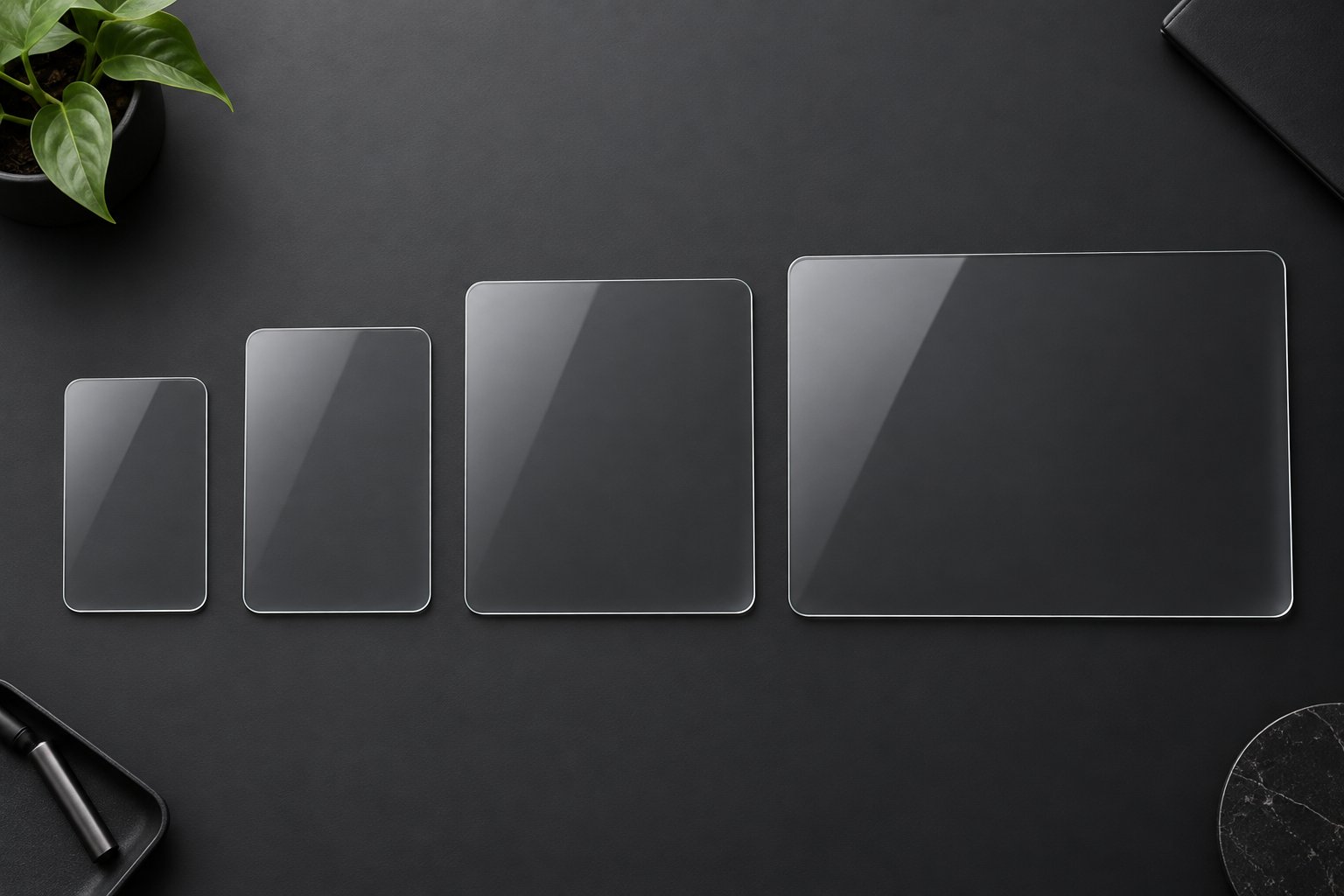
Screen sizes across Tesla's lineup range from 8 inches to 18.5 inches — and that spread means a protector designed for one model will not fit another. Worse, even different generations of the same model use different screen dimensions. Ordering the wrong size is one of the most common mistakes Tesla owners make, and it leads directly to the misalignment and edge-peeling issues that cause the touchscreen problems covered earlier. This model-by-model breakdown gives you the exact reference you need to match the right protector to your specific vehicle.
Model 3 Legacy and Highland Screen Considerations
The pre-Highland Model 3 — produced from 2017 through mid-2023 — features a single 15.4-inch center touchscreen with a 1920x1200 resolution and a 16:9 aspect ratio. No rear screen, no instrument cluster. Every function lives on that one display, which means every protector purchase is straightforward — one screen, one protector.
The Highland refresh, introduced in late 2023, changed the equation. While the center display remains a similar size, Tesla redesigned its dimensions and bezel profile, making pre-Highland protectors incompatible. More significantly, Highland added a new 8-inch rear passenger display between the front seats. If you're shopping for a screen protector for Tesla Model 3 Highland, you'll need two separate protectors — one for the center screen and one for the rear display. A protector cut for the legacy Model 3 will not align properly on the Highland center screen, so confirming your production year before purchasing is essential.
Model Y and Juniper Refresh Coverage
The standard Model Y shares its 15.4-inch center screen specifications with the legacy Model 3 — same size, same resolution, same aspect ratio. Many screen protectors are marketed as compatible with both models, and for the pre-refresh versions, that's generally accurate.
The Juniper refresh is where things diverge. Tesla's updated Model Y features a larger center display and introduces a rear screen similar to the Highland Model 3's 8-inch unit. If you're looking for a screen protector Tesla Model Y Juniper edition, you'll want to verify that the product explicitly lists Juniper compatibility rather than assuming a standard Model Y protector will fit. The dimensional differences between generations may seem minor, but even a millimeter of misalignment creates exposed edges that collect dust and eventually peel. Owners searching for a tesla model y 2026 screen protector should pay particular attention to whether listings specify the refreshed Juniper dimensions or the pre-refresh standard.
Model S, Model X, and Cybertruck
Tesla's premium and specialty models bring substantially larger screens — and larger screens mean more exposed surface area vulnerable to scratches, impacts, and glare.
The Model S and Model X (2021 and later) each feature a 17-inch horizontal center display with a 2200x1300 resolution. Both models also include an 8-inch rear entertainment display and retain an instrument cluster behind the steering wheel. A tesla model s screen protector and tesla model x screen protector need to account for that 17-inch landscape orientation — a meaningfully different shape and size than the 15.4-inch screens in the Model 3 and Y. Owners of these models protecting both the center and rear displays will need separate products for each.
The Cybertruck pushes the scale even further. Its 18.5-inch center display is the largest in any Tesla, with a 2650x1440 resolution and a 16:9 aspect ratio. A 9.4-inch rear display sits between the front seats. That 18.5-inch panel presents more surface area for fingerprints, more territory for micro-scratches to accumulate, and a significantly larger target for sun glare — making a tesla cybertruck screen protector arguably even more justified than on smaller-screened models. Finding a protector precisely cut for 18.5 inches in a landscape orientation narrows your options compared to the more common Model 3 and Y sizes, so confirming exact fit before purchasing is especially important.
Complete Model-by-Model Screen Reference
The table below consolidates every current Tesla model's screen specifications into a single reference. Use it to identify exactly which screens your vehicle has and what protection considerations apply to each one.
| Tesla Model | Center Screen Size | Rear Screen | Key Protection Considerations |
|---|---|---|---|
| Model 3 (Pre-Highland) | 15.4" | None | Single screen; wide protector compatibility |
| Model 3 Highland (Late 2023+) | 15.4" (redesigned) | 8" | New bezel profile; requires Highland-specific protector; rear screen needs separate protector |
| Model Y (Standard) | 15.4" | None | Often shares fitment with pre-Highland Model 3 |
| Model Y Juniper (2025+) | Larger center display | ~8" | New dimensions incompatible with standard Model Y protectors; verify Juniper-specific sizing |
| Model S (2021+) | 17" | 8" | Larger landscape screen; tilting display may affect edge adhesion; rear screen needs separate protector |
| Model X (2021+) | 17" | 8" | Same center screen as Model S; verify protector accounts for any X-specific bezel differences |
| Cybertruck | 18.5" | 9.4" | Largest Tesla screen; maximum surface exposure to scratches and glare; fewer protector options available |
One detail worth highlighting: the Model S features a center display that can tilt left and right via software control. If you're applying a tesla model s screen protector or a tesla model x screen protector, the adhesive edges need to account for this movement without catching or peeling — another reason precision-cut protectors outperform generic alternatives on these premium models.
A tesla rear screen protector is also worth considering on any model that includes one, particularly if rear passengers are children. Back-seat screens tend to accumulate fingerprints and sticky residue faster than the main display, and they're just as integrated — and just as expensive to replace.
Matching the right protector to your exact model and generation eliminates the biggest installation headache before it starts. But even a perfectly sized protector can underperform if the application process goes wrong — and the difference between a flawless result and a bubble-filled mess comes down to a handful of preparation steps most owners skip.
How to Install a Tesla Screen Protector the Right Way
A perfectly sized protector sitting crooked on the screen with two dust specks and an air bubble trapped underneath isn't protection — it's a recipe for the exact phantom touch and delayed response issues Tesla warns about. Installation quality is the single biggest variable separating owners who love their screen protectors from owners who rip them off in frustration and swear the whole category is flawed. The protector material isn't usually the problem. The application process is.
Think of it this way: a high-quality tempered glass protector installed poorly will perform worse than a mediocre protector installed flawlessly. Every reported touchscreen issue traced back to an aftermarket protector — the phantom inputs, the laggy response, the dead zones — almost always reveals the same root causes when you dig into the details: trapped debris, misalignment, or uneven adhesive contact. Fix the installation, and you fix the problem before it starts.
Whether you're applying a screen protector for Tesla Model Y, a screen protector Tesla Model 3, or tackling an 18.5-inch Cybertruck display, the preparation and technique follow the same core principles. Here's how to get it right on the first try.
Pre-Installation Preparation Steps
Rushing straight from the Amazon delivery box to your car's touchscreen is the most common mistake. Preparation accounts for roughly 80% of a successful installation — the actual application takes less than a minute when everything before it is done correctly.
- Park in a dust-free environment. Your garage with the door closed is ideal. Dust is the number one enemy of a clean install, and outdoor air carries particles you can't see. If you don't have a garage, a covered parking structure or an enclosed car wash bay with the fans off works as a backup. Avoid open driveways, even on calm days — a single breeze can deposit enough micro-particles on a freshly cleaned screen to ruin the application.
- Turn off the Tesla's climate system. This is a step many guides miss. Your Tesla's HVAC pushes air through the cabin at significant volume, and that moving air carries dust directly onto the screen surface. Power the climate system off completely before you begin cleaning. Some owners also close all vents manually as an extra precaution, though disabling the system should stop airflow on its own.
- Clean the screen thoroughly with a microfiber cloth and appropriate cleaner. Use a screen-safe cleaning solution — never ammonia-based products, which degrade the factory oleophobic coating. Spray the solution onto the microfiber cloth, not directly onto the screen, to prevent liquid from seeping into the display edges. Wipe in consistent, overlapping strokes rather than random circles. Then follow up with a dry microfiber cloth to remove any remaining moisture or streaks. The goal is a surface so clean that you can hold a flashlight at an angle and see zero smudges, fibers, or particles.
- Allow the screen to reach room temperature. If your car has been sitting in cold weather or baking in the sun, the screen's temperature can affect adhesive bonding. A screen that's too cold may prevent the adhesive from curing properly, while extreme heat can cause the protector to bond unevenly. Let the car sit in a temperature-controlled space for 15 to 20 minutes before starting.
- Use dust-removal stickers for a final pass. After wiping, dab the included dust-removal stickers — sometimes called dust absorbers — across the entire screen surface. These adhesive tabs lift particles that even a fresh microfiber cloth leaves behind. Work methodically from one edge to the other, overlapping your passes. This final step is what separates a professional-grade result from a "close enough" one with three tiny specks trapped underneath.
Common Installation Mistakes That Cause Touch Issues
Remember Tesla's CAUTION statement about screen protectors causing phantom inputs and delayed response? Here's the part that statement doesn't explain: those issues almost always originate from how the protector was installed, not from what it's made of. Understanding the specific mistakes that create these problems lets you avoid them entirely.
- Dust particles trapped under the protector creating pressure points. Even a single grain of dust trapped between the adhesive and the glass creates a raised spot. That tiny bump disrupts the even contact surface the capacitive touchscreen relies on to register accurate inputs. Multiple trapped particles produce multiple pressure points — and the screen interprets those uneven contact zones as inconsistent signals, leading to phantom touches or missed inputs in the affected areas. As noted in touchscreen troubleshooting guides, poorly installed protectors with trapped dust and air bubbles are a leading cause of touch errors that owners mistake for calibration problems.
- Misalignment that leaves adhesive on active screen areas. If the protector lands even slightly off-center, the adhesive border can overlap onto the touchscreen's active display zone rather than sitting on the bezel frame. Adhesive residue on the active screen changes how the capacitive sensors read finger contact in that area, creating inconsistent response along the misaligned edge. On a 15-inch screen, a two-millimeter misalignment might seem invisible to your eye — but it's enough to cause a strip of unreliable touch response along one side.
- Air bubbles that create uneven pressure. Large air pockets between the protector and the glass prevent the adhesive from making full contact with the screen. The result is a floating section of protector that flexes slightly under finger pressure, confusing the capacitive sensors about where and when a touch is occurring. Small bubbles often work themselves out over 24 to 48 hours as the adhesive settles, but large ones typically don't — and pressing them toward the edge with force can stretch the adhesive and create new problems.
- Using protectors not precisely cut for the specific Tesla model and year. A protector designed for a pre-Highland Model 3 won't align correctly on a Highland screen. A standard Model Y protector won't fit the Juniper refresh. When dimensions don't match, you either have exposed gaps that collect dust and peel, or an oversized protector that overlaps onto the bezel and lifts at the corners. Either scenario disrupts the adhesive-to-glass contact that clean touch registration depends on.
The pattern is clear: every mistake on this list is a human error in preparation or execution, not a material deficiency. A quality tempered glass protector installed correctly produces none of these symptoms. The tesla screen protector model y owners complain about on Reddit threads and forum posts? Dig into the details and you'll almost always find one of these four mistakes at the root.
Tips for a Bubble-Free Perfect Fit
You've prepped the environment, cleaned the screen obsessively, and removed every last dust particle. Now comes the part that makes most first-timers nervous — actually placing the protector onto the screen. These techniques make the difference between a flawless application and a frustrating do-over.
- Use the hinge method for alignment. Many quality protector kits include guide stickers or alignment frames. If your kit has a frame, clip it to the screen — it makes precise placement nearly foolproof. If it includes guide stickers instead, tape one long edge of the protector to the screen so it functions like a hinge. This lets you flip the protector up and down like a book page, checking alignment repeatedly before committing. Once the position is perfect, peel the backing film while the hinged edge holds everything in place, then lower the protector slowly onto the screen.
- Work from center outward to push air. Don't drop the protector flat against the screen all at once — that traps air in random pockets with no escape path. Instead, let the center of the protector make contact first, then use a squeegee or a credit card wrapped in a microfiber cloth to press outward toward the edges in smooth, overlapping strokes. This pushes air ahead of the contact line and out past the protector's edge, much like using a rolling pin on dough. The key is steady, even pressure — not speed.
- Use the included dust-removal stickers for rescue saves. Noticed a tiny speck trapped under the protector after you've laid it down? Don't panic and don't peel the entire protector off. Instead, gently lift just the nearest corner — only enough to expose the trapped particle — and use a dust-removal sticker to dab it away from both the screen surface and the protector's adhesive side. Then carefully lower the corner back into place and squeegee from that corner outward. This targeted lift-and-dab technique saves the overall installation without restarting from scratch.
- Consider having a second person assist with larger screens. On a 15-inch Model 3 or Model Y screen, a solo installation is manageable with practice. On a 17-inch Model S or X display, and especially the Cybertruck's 18.5-inch screen, the protector's size and weight make alignment significantly harder with one pair of hands. A helper can hold one edge steady while you manage the other, or they can monitor alignment from a different angle while you focus on the squeegee work. Two sets of eyes catch misalignment that one set misses.
- Wait before judging the result. Tiny micro-bubbles that appear right after installation often disappear on their own within 24 to 48 hours as the adhesive fully bonds and pushes residual air outward. Resist the urge to peel everything off and start over immediately if you see a few small imperfections. Check again the next day — you may find the protector has settled into a perfectly clear, bubble-free finish without any additional effort.
If you want to learn how to remove a tesla screen protector down the road — whether to replace a worn protector or to go back to bare glass — the process is simpler than installation. Heat the protector's surface gently with a hair dryer on low for 30 to 60 seconds to soften the adhesive, then lift slowly from one corner using a fingernail or a thin plastic card. Pull at a consistent, low angle rather than yanking upward, and the protector should release cleanly without leaving residue on the screen. Any remaining adhesive traces wipe away easily with a microfiber cloth and screen-safe cleaner.
A well-installed protector should feel invisible during daily driving — no touch lag, no phantom inputs, no visible seams or bubbles. It should simply work, quietly absorbing the daily wear your factory glass would otherwise take directly. But what if, after weighing everything, you decide that a physical protector still isn't for you? There are alternative approaches to keeping your touchscreen in top condition — and they come with their own set of trade-offs worth understanding.
Alternatives If You Decide Against a Screen Protector
Going without a screen protector doesn't have to mean going without a strategy. Plenty of Tesla owners choose the bare-glass route — and the ones who keep their screens looking factory-fresh after years of ownership aren't just lucky. They follow a specific care routine that protects the oleophobic coating, avoids common cleaning mistakes, and keeps micro-scratches from accumulating faster than they need to. Whether you've decided a physical protector isn't for you or you're simply buying time before committing to one, these practices are the difference between a touchscreen that ages gracefully and one that turns into a smudgy, scratched reminder of missed prevention.
Proper Cleaning Techniques for Bare Tesla Screens
Your Tesla's factory oleophobic coating is only nanometers thick. That means every cleaning session either preserves it or chips away at it — and the technique matters just as much as the products you use. Here's the protocol that keeps the coating intact as long as physically possible.
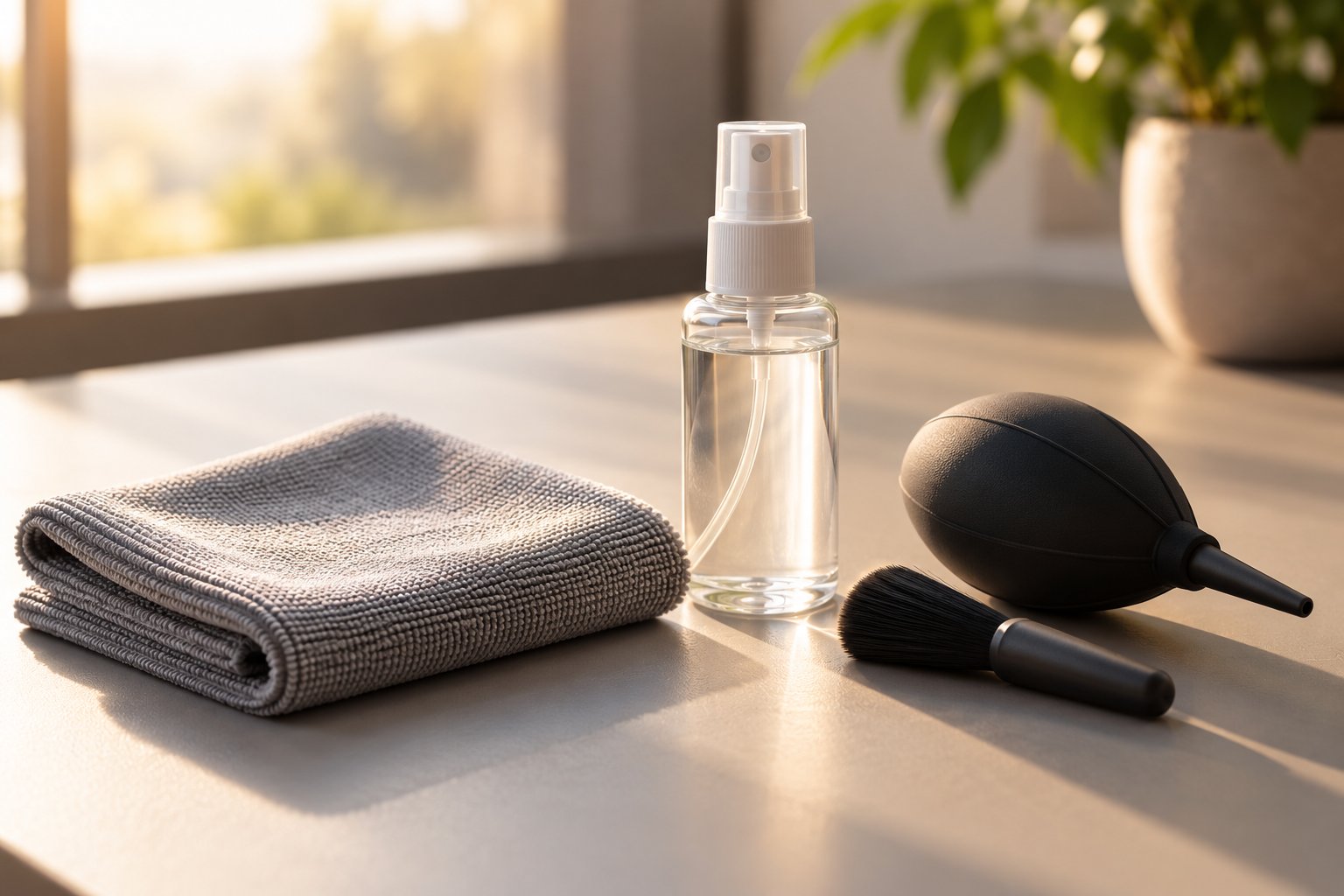
Use only microfiber cloths. This isn't a suggestion — it's the single most important rule of bare-screen maintenance. A clean, soft, plush microfiber cloth traps dust and lifts oils without scratching, unlike paper towels, napkins, or cotton rags that drag abrasive fibers across the coating with every swipe. Keep a dedicated microfiber towel in your glovebox specifically for the touchscreen, and never use the same cloth you wipe the dashboard or exterior surfaces with. Trapped grit from other surfaces turns a harmless wipe into fine-grit sandpaper.
Apply screen-safe cleaners — or just distilled water. Professional Tesla detailers recommend distilled water on a clean microfiber as the safest everyday cleaning solution. Tesla themselves recommends distilled or deionized water for screen cleaning. Distilled water avoids the mineral deposits that tap water leaves behind as it dries — those white streaks and spots you sometimes see on glass surfaces after cleaning. For heavier fingerprint buildup, use an ammonia-free, alcohol-free screen cleaner formulated for electronics. Spray it onto the cloth, never directly onto the display, to prevent liquid from seeping into the screen's edge seams and reaching the electronics underneath.
Clean in gentle, consistent strokes. Skip the random circular scrubbing. Wipe in slow, overlapping passes from one side of the screen to the other, using light pressure and letting the microfiber do the work. Then follow up with a dry section of the cloth to buff away any remaining moisture. As touchscreen cleaning specialists note, wiping in a single direction first to lift grime and then buffing with a dry pass produces a streak-free finish without the haze that random back-and-forth scrubbing creates.
Power off the display before cleaning. A black screen reveals smudges and dust particles far more clearly than an active display. Turning the screen off also prevents accidental inputs while you're wiping — imagine accidentally changing your navigation destination or adjusting vehicle settings mid-clean. On a Tesla, press and hold both scroll wheels on the steering wheel to restart the screen, or simply tap the screen to sleep and clean while it's dark.
Time your cleaning wisely. If you drive daily, a quick weekly wipe prevents fingerprint oils from building up and bonding with the coating. The longer oils sit on the surface, the harder they are to remove without applying pressure or harsher cleaners — both of which accelerate coating degradation. Clean immediately after eating in the car, applying sunscreen or hand lotion, or whenever you notice heavy fingerprint buildup from passengers.
Products to Avoid on Your Tesla Touchscreen
This list is where most owners unknowingly destroy their factory screen protection. The products below don't just fail to clean properly — they actively strip the oleophobic coating, turning your fingerprint-resistant display into a permanent smudge magnet that no amount of wiping will fix.
- Ammonia-based glass cleaners — Windex and similar household glass cleaners contain ammonia that chemically dissolves the fluorinated polymer coating on your touchscreen. One use probably won't cause visible damage, but repeated applications progressively strip the oleophobic layer. Once it's gone, the screen becomes a fingerprint magnet that is extremely difficult to keep clean — and the coating cannot be reapplied outside of a factory service.
- High-concentration isopropyl alcohol — While Tesla lists isopropyl alcohol wipes at 50% concentration or less as acceptable for sanitizing non-screen surfaces, the touchscreen itself is a different story. Higher concentrations — 70% or 90% solutions commonly found in medicine cabinets — are far too aggressive for oleophobic coatings. Even diluted alcohol, used repeatedly, will accelerate coating breakdown over time. For the screen itself, water only is the safest protocol regardless of what you read in Tesla owner groups.
- Abrasive wipes and paper towels — Paper towels and cleaning wipes (including disinfecting wipes like Clorox or Lysol) contain fibers that act like microscopic sandpaper on a coating measured in nanometers. They also frequently contain chemical agents designed to kill bacteria on hard surfaces — chemicals that are perfectly fine for a kitchen counter but devastating for a touchscreen's delicate top layer. Even "soft" paper towels leave behind lint and create fine scratches invisible to the naked eye until they accumulate.
- Household all-purpose cleaners — Products like 409, Fantastik, or any multi-surface spray contain surfactants, solvents, and sometimes bleach compounds formulated for durable surfaces like tile and laminate. Your Tesla's touchscreen coating is not durable in the same way. These products leave chemical residue that builds up over multiple applications, creating a hazy film that dulls the display and further degrades the oleophobic properties underneath.
- Vinegar-based solutions — DIY cleaning recipes often recommend vinegar diluted in water. While less aggressive than ammonia, vinegar is still acidic enough to degrade the oleophobic coating with repeated use. It can also leave a streaky residue that requires additional wiping to remove — more mechanical wear on a coating that's already under attack.
The pattern is clear: virtually every cleaning product in your house that works well on other surfaces is the wrong choice for your Tesla's screen. The safest approach is the simplest one — distilled water and a clean microfiber cloth handle 95% of daily cleaning needs without touching the coating.
Ceramic Coatings and Other Protective Options
What if you want some kind of protection but can't commit to a physical protector? A growing category of liquid ceramic screen coatings has entered the market, promising to restore or enhance oleophobic properties without adding any perceptible layer to the display.
These products typically work by applying a liquid silicon dioxide (SiO2) formula directly to the glass surface. After curing — usually over a few hours — the coating bonds to the glass at a molecular level, creating a hydrophobic and oleophobic barrier that repels water, oils, and fingerprints. Some products claim to last six months to a year before needing reapplication.
The appeal is obvious: no change in screen feel, no change in clarity, no risk of air bubbles or misalignment, and no concern about the touch sensitivity issues Tesla warns about with physical protectors. For owners who want to maintain the factory glass experience while extending the life of the oleophobic coating, ceramic screen treatments occupy a genuinely useful middle ground.
The trade-offs, however, are equally obvious and worth understanding honestly:
- No scratch protection. A ceramic coating is a chemical barrier, not a physical one. It cannot absorb the impact of a dropped phone, deflect a key dragged across the surface, or prevent the cumulative micro-scratches that rings and fingernails create over months of daily interaction. If scratch and impact prevention is your primary concern, a ceramic coating doesn't address it at all.
- No impact resistance. A tempered glass protector acts as a sacrificial layer — it cracks so the screen underneath doesn't. A ceramic coating adds zero structural reinforcement. A sharp impact that would crack bare glass will crack ceramic-coated glass just the same.
- Reapplication required. Unlike a tesla 3 screen protector or tesla y screen protector that lasts one to two years with zero maintenance, ceramic coatings gradually diminish and need periodic reapplication to maintain their effectiveness. The convenience of no physical layer comes with the trade-off of ongoing maintenance.
- Inconsistent product quality. The ceramic screen coating market is less mature and less standardized than the screen protector market. Performance varies widely between brands, and owner reviews — including discussions on tesla model 3 screen protector reddit threads and tesla model y screen protector reddit communities — show mixed results depending on the specific product used and the application technique.
Ceramic coatings work best as a complement to careful cleaning habits, not as a standalone substitute for physical protection. They can meaningfully extend the time before your factory oleophobic coating degrades to the point of constant smudging, and they make daily cleaning faster and easier. But they don't address the scratch, impact, and replacement-cost concerns that drive most owners toward a physical protector in the first place.
Ceramic coatings extend the life of your factory coating and improve daily cleaning ease, but they cannot replace the scratch and impact protection that a physical screen protector provides.
Whether you choose a physical protector, a ceramic coating, meticulous cleaning habits, or some combination of all three, the underlying goal is the same: preserve the touchscreen that controls every aspect of your driving experience. The right approach depends entirely on what you're protecting against — daily fingerprints and coating wear, or the real possibility of a scratch or crack that triggers a four-figure repair bill. With the full picture in front of you — the risks, the costs, the protector types, the alternatives — the final step is pulling these threads together into a clear decision framework.
The Final Verdict on Tesla Screen Protection
Nine sections of factory specs, replacement costs, protector comparisons, installation techniques, and alternative strategies — all pointing toward one straightforward question: is a screen protector worth it for your Tesla? The answer doesn't require a leap of faith. It requires a simple framework that weighs what you already know.
The Decision Framework That Makes This Simple
Strip away the forum debates and brand noise, and the core equation has three parts.
Cost. A quality screen protector runs $15 to $50. A touchscreen replacement runs $1,700 to $3,000 or more. Even if you replace the protector every year for a decade, your total investment stays under $500 — a fraction of a single repair bill. The math doesn't leave much room for argument.
Risk. Tesla's official caution about aftermarket protectors is real, but the problems it describes — phantom inputs, delayed response — trace back to cheap materials and poor installation, not to properly engineered tempered glass applied correctly. Choosing a quality product and following the preparation steps outlined earlier eliminates the vast majority of that risk. The warning is worth respecting, not worth fearing.
Compounding benefit. Scratch protection, glare reduction, fingerprint resistance, preserved resale value — these advantages don't deliver a single dramatic payoff. They compound quietly across thousands of drives and tens of thousands of screen interactions. A protector you apply today is still working for you three years from now, every time sunlight hits the screen at a blinding angle or a passenger's ring grazes the display surface. The best screen protector for Tesla Model 3 or the best screen protector for Tesla Model Y isn't the flashiest product on the market — it's the one that silently absorbs daily wear so the factory glass never has to.
For most Tesla owners, a quality screen protector is a low-cost, high-value investment that protects against real daily wear while preserving the touchscreen's appearance and resale value — and the small upfront cost is negligible compared to the repair bill it helps you avoid.
That said, "most owners" isn't "all owners." If you're meticulous about screen care, drive in mild conditions, and accept the risk of unprotected glass, going bare remains a legitimate choice. The goal was never to push you toward a purchase — it was to make sure you understood the stakes clearly enough to choose confidently either way.
Choosing the Right Protector for Your Tesla
If you've decided protection makes sense, matching the right type to your priorities is the final step. Here's the quick guide:
- Maximum protection and factory feel: Tempered glass. It's the best screen protector Tesla Model 3 and Model Y owners gravitate toward for a reason — strong scratch resistance, excellent touch sensitivity, and a surface that feels virtually identical to bare glass.
- Glare and fingerprint reduction: Matte anti-glare. If sun glare disrupts your daily commute or fingerprint smudges drive you to constant wiping, matte is the best tesla y screen protector category for practical, everyday comfort — especially in sunny climates.
- Minimal screen feel change: Clear film. The thinnest option with the least perceptible difference from the original display, ideal for owners who want basic protection without altering the tactile experience.
Whichever type you choose, one factor matters more than brand loyalty or price: precise fit. A protector engineered for your exact Tesla model and production year installs cleanly, adheres evenly, and avoids the misalignment issues that cause every touchscreen problem owners worry about. Generic "fits all" options are the single fastest path to the bubbles, edge peeling, and touch errors that give screen protectors a bad reputation.
CUTIM's Tesla screen protector collection offers tempered glass, clear, and matte anti-glare options precision-cut for each Tesla model's screen dimensions — from the Model 3 and Model Y to the Model S, Model X, and Cybertruck. For owners ready to protect their investment, it's a solid starting point to find the best screen protector for Tesla Model Y, Model 3, or whichever vehicle you drive. The protector costs less than a tank of gas at a Supercharger. The screen it protects costs more than most people's first car payment. That ratio tells you everything you need to know.
Frequently Asked Questions About Tesla Screen Protectors
1. Does putting a screen protector on a Tesla void the warranty?
No, applying a screen protector does not void your Tesla's vehicle warranty. Under the Magnuson-Moss Warranty Act, manufacturers cannot void warranties solely due to aftermarket accessories. However, if a touchscreen malfunction occurs while a protector is installed, Tesla's service team could attribute the issue to the aftermarket accessory based on the CAUTION statement in the owner's manual. This means unrelated repairs like drivetrain or suspension work remain fully covered, but a touchscreen-specific claim could be complicated if Tesla determines the protector contributed to the problem. Choosing a high-quality tempered glass protector with proper capacitive touch compatibility — such as those from CUTIM's Tesla screen protector collection — and installing it correctly minimizes this risk significantly.
2. How much does it cost to replace a Tesla touchscreen?
Tesla touchscreen replacement typically costs between $1,700 and $3,000 or more, depending on the model and extent of damage. This high price reflects the fact that the display is integrated with the vehicle's Media Control Unit (MCU), so a damaged screen often requires replacing the entire assembly rather than just the glass panel. Parts alone generally range from $1,500 to $2,500, with Tesla Service Center labor adding another $200 to $500. By comparison, a quality screen protector costs $15 to $50 — making it a fraction of the potential repair bill and a practical form of insurance against accidental damage.
3. What type of screen protector is best for a Tesla?
Tempered glass is the most popular and broadly recommended type for Tesla touchscreens. It offers 9H scratch resistance, preserves capacitive touch sensitivity, and provides a surface feel nearly identical to the factory glass. Matte anti-glare protectors are ideal for owners who drive frequently in sunny conditions or want to reduce fingerprint visibility, though they slightly reduce screen sharpness. Clear film protectors offer the thinnest profile with minimal screen feel change but provide less scratch resistance and a shorter lifespan of six to twelve months. The best choice depends on your priorities — protection and durability favor tempered glass, glare reduction favors matte, and minimal tactile change favors clear film.
4. Do Tesla screen protectors cause phantom touch or lag issues?
Phantom touch and lag issues are almost always caused by installation errors rather than the protector material itself. Trapped dust particles, air bubbles, and misalignment create uneven pressure on the capacitive sensors, producing the exact symptoms Tesla warns about. Modern tempered glass protectors engineered for capacitive touchscreens use ultra-thin adhesive layers calibrated to transmit finger inputs accurately. When installed correctly on a clean surface in a dust-free environment, quality protectors from brands like CUTIM maintain full touch responsiveness without phantom inputs or delayed response. The key is choosing a protector precision-cut for your specific Tesla model and following proper installation steps.
5. Are Tesla screen protectors different for each Tesla model?
Yes, screen protectors vary across Tesla models and even between generations of the same model. The Model 3 pre-Highland uses a 15.4-inch screen, while the Highland refresh features redesigned dimensions plus a new 8-inch rear display. The Model Y standard shares dimensions with the pre-Highland Model 3, but the Juniper refresh introduces a larger center screen. The Model S and X use 17-inch displays, and the Cybertruck has an 18.5-inch screen — the largest in any Tesla. Using a protector not sized for your specific model and production year leads to misalignment and edge peeling, so always verify exact compatibility before purchasing.